
How to Use HelpKnow AI with UiPath: Setup, Workflow & Examples
Customer service teams increasingly face a split problem: the AI agent can understand a request, but it cannot always finish the job behind it. HelpKnow AI closes the conversation side by learning your documents, FAQs, and product catalogs into a knowledge brain and answering customers in seconds. UiPath closes the execution side by orchestrating the business systems where the real work happens. Together, they let a support conversation trigger reliable, auditable automation across your back office.
This guide explains how the two platforms complement each other, how to set up the connection, what a working workflow looks like, and where the combination pays off.
Why combine HelpKnow AI and UiPath?
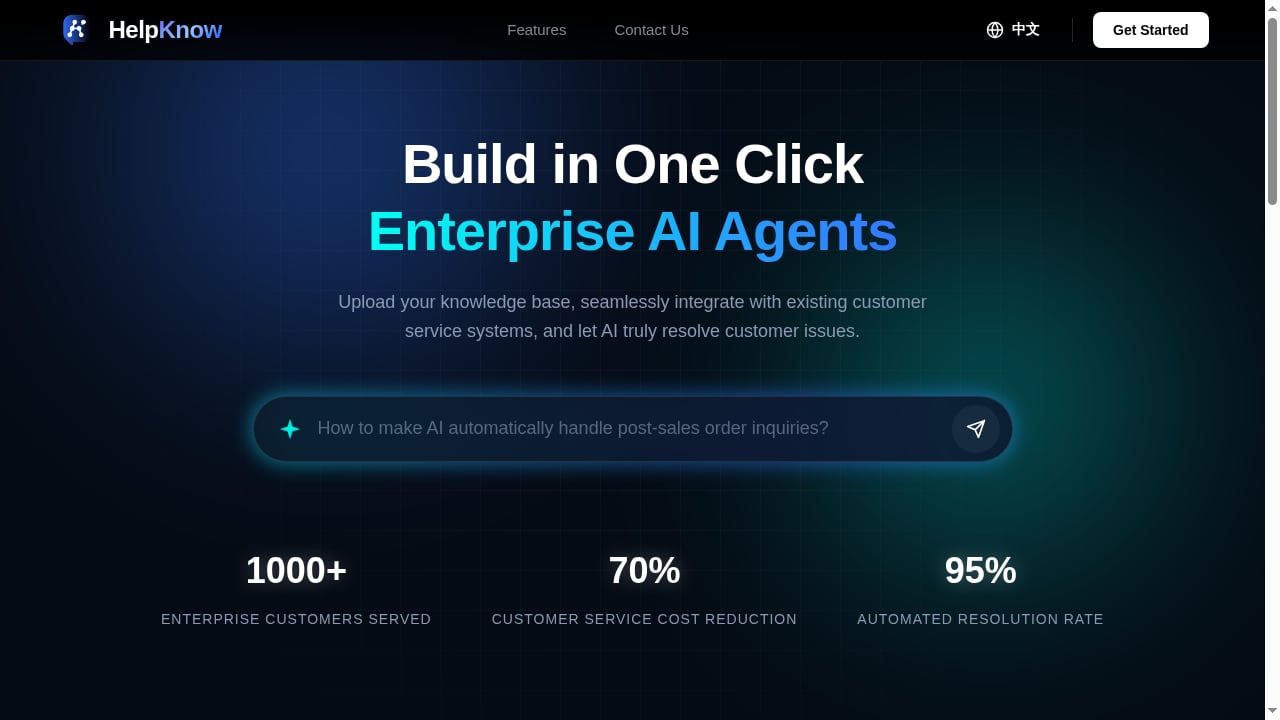
First viewport screenshot of www.helpknow.ai.
HelpKnow AI is an enterprise AI agent platform built for customer service. It ingests knowledge, recognizes intent, responds 24/7, and can invoke super skill plugins to handle practical tasks such as express tracking or order processing. UiPath is an enterprise business orchestration and automation platform that connects existing systems and runs processes through Studio, Robots, and Orchestrator.
The division of labor is clean:
- HelpKnow AI owns the conversation. It greets the customer, understands the question, retrieves the right answer, and decides when a task needs to be executed.
- UiPath owns the execution. It runs the process that touches ERP, CRM, logistics, billing, or legacy systems that have no clean API.
- The handoff is a structured request. HelpKnow AI sends an intent plus parameters; UiPath returns a status and result that the AI agent can explain back to the customer.
This matters because many support requests are not pure questions. A refund, an address change, a replacement order, or a warranty claim requires a system transaction. HelpKnow AI's plugin layer can trigger that transaction, while UiPath provides the resilient, monitored process that performs it.
What each platform contributes
| Capability | HelpKnow AI | UiPath |
|---|---|---|
| Customer conversation | Native, 24/7, second-level responses | Not its role |
| Knowledge learning | Documents, FAQs, product catalogs | Not its role |
| Intent recognition | Smart intent recognition | Consumes intent as input |
| Task execution | Super skill plugins | Studio workflows, Robots, Orchestrator |
| System connectivity | Integrates with existing customer service systems | Connects existing enterprise systems |
| Monitoring | Conversation and resolution analytics | Orchestrator scheduling, licensing, process management, Orchestrator Mobile |
| Deployment | Cloud platform | Cloud and on-premises options |
HelpKnow AI reports serving over 1,000 enterprise customers with a 70% reduction in customer service costs and a 95% automated resolution rate. Those numbers depend on how much of the resolution path is actually automated, which is exactly where UiPath adds value.
Architecture: how the integration works
First viewport screenshot of www.helpknow.ai.
A practical integration has four layers.
- Channel layer. The customer arrives through chat, messaging, email, or your existing customer service system. HelpKnow AI greets and handles the first response.
- Agent layer. HelpKnow AI matches the request to an intent and decides whether it can answer directly or must invoke a super skill plugin.
- Orchestration layer. The plugin calls a UiPath process, typically through Orchestrator. The process receives structured input such as order ID, customer ID, and requested action.
- System layer. UiPath Robots execute the transaction in the target system, then return a result payload.
A useful design principle: keep the AI agent responsible for language and judgment, and keep UiPath responsible for deterministic steps. Do not ask the AI to improvise a system transaction, and do not ask a robot to interpret ambiguous customer language.
Setup steps

First viewport screenshot of www.uipath.com.cn.
Step 1: Define the tasks worth automating
Start with a short list of high-volume, rule-based requests. Good candidates include order status checks, address changes before shipment, replacement requests, invoice copies, and subscription cancellations. Each task should have a clear trigger, required inputs, and a success condition.
Step 2: Build the knowledge brain in HelpKnow AI
Upload the documents, FAQs, and product catalogs that describe your policies and products. The quality of the knowledge brain determines whether the AI agent recognizes intent correctly and collects the right parameters before invoking a plugin. Test with real conversation transcripts, not just clean examples.
Step 3: Create the UiPath process
In UiPath Studio, build a workflow for each task. The process should accept a structured input object, validate it, perform the transaction, and return a structured output with a status code and a customer-safe message. Use Orchestrator queues for volume and retries, and configure unattended robots for production execution.
Step 4: Expose the process through Orchestrator
Publish the process and make it callable. Decide how HelpKnow AI will authenticate and which roles can start the job. Keep credentials in a secure store rather than in the plugin configuration.
Step 5: Register the super skill plugin in HelpKnow AI
Create a plugin that maps an intent to the UiPath process. Define the input schema so the AI agent knows which fields to collect, and define the output schema so it knows how to phrase the result. Add fallback behavior for timeouts and failures.
Step 6: Test end to end
Run scripted conversations that cover the happy path, missing data, invalid order IDs, system downtime, and duplicate requests. Verify that the customer receives a clear answer in every case, including when the robot fails.
Step 7: Monitor and iterate
Use HelpKnow AI's conversation analytics to find intents that escalate or fail, and use Orchestrator to monitor job success rates and queue backlogs. Review both weekly at first.
A worked example: order replacement
Consider a customer who writes: "My blender arrived cracked. I want a replacement."
- HelpKnow AI recognizes the intent as a replacement request and asks for the order number if it is missing.
- The AI agent confirms the product and policy eligibility from the knowledge brain.
- The super skill plugin sends the order ID, customer ID, and reason code to the UiPath process.
- UiPath validates the order in the ERP, creates a replacement order, and writes an audit record.
- The process returns a replacement order number and estimated ship date.
- HelpKnow AI tells the customer what happened and when to expect the replacement.
If the ERP is unavailable, the UiPath process returns a failure status. HelpKnow AI then tells the customer the request is logged and routes it to a human queue with full context. The customer never sees a silent failure.
Where the combination solves real problems

First viewport screenshot of www.uipath.com.cn.
- Legacy systems without APIs. Many order and billing systems still require screen-level interaction. UiPath handles that; HelpKnow AI never needs to know the difference.
- Policy-heavy conversations. The AI agent applies policy language from the knowledge brain before any transaction starts, reducing invalid requests reaching the robot.
- Volume spikes. Unattended robots and Orchestrator queues absorb bursts that would otherwise overwhelm human agents.
- Audit and compliance. Every automated transaction has a process log, which is easier to defend than an ad hoc manual action.
- Cost reduction. Automating the transaction, not just the answer, is what moves resolution rates. HelpKnow AI's claimed 95% automated resolution rate is only credible when the execution path is solid.
Decision guidance: when this pairing fits
Choose HelpKnow AI with UiPath when:
- A meaningful share of support requests require a system transaction.
- You already run UiPath for back-office automation and want to extend it to customer-facing workflows.
- You need cloud or on-premises flexibility and centralized process management.
- You want conversation analytics and process monitoring in one operating model.
Consider a lighter approach when your requests are mostly informational, your systems already expose clean APIs that HelpKnow AI plugins can call directly, or your transaction volume is too low to justify robot maintenance.
If you are still evaluating the AI agent layer, see our comparison of HelpKnow AI vs The AI Customer Experience Platform for Enterprise and our roundup of top AI-powered live chat and customer support software for 2026. For a data-oriented integration pattern, the HelpKnow AI and Dataiku setup guide shows how conversation data can feed analytics workflows.
Best practices for a reliable integration
- Design idempotent processes. Customers retry. Your UiPath workflow should detect duplicate requests and return the original result.
- Set explicit timeouts. A support conversation cannot wait indefinitely. Define a maximum wait and a clear fallback message.
- Separate customer-safe messages from technical errors. The AI agent should never expose stack traces or internal codes.
- Version your schemas. When a plugin's input or output changes, update both sides together.
- Log the conversation ID in the UiPath process. This makes it possible to trace any transaction back to the customer interaction.
- Start narrow. Automate two or three intents well before expanding.
Related reading
- BoldDesk Review 2026: Autonomous AI Customer Service Software - Evidence-based BoldDesk review: autonomous AI agents, omnichannel support, pricing signals, setup effort, limitations, and who should choose it in 2026.
Sources and further reading
- With help from AI tools, your team can spend less time on low-value ... - 𝐇𝐨𝐰 𝐀𝐈 𝐂𝐚𝐧 𝐂𝐨𝐧𝐭𝐫𝐢𝐛𝐮𝐭𝐞 𝐭𝐨 𝐚 𝐁𝐮𝐬𝐢𝐧𝐞𝐬𝐬’𝐬 𝐒𝐮𝐜𝐜𝐞𝐬𝐬
Nothing has captured as much attention among business leaders over the last year as AI and machine...
- Using Digital Business Management For Better Profitability - In simple terms, digital business management is the incorporation of latest digital technology to improve existing processes
- Level Up Your Skills with Our Data Science Training Program 2025 - Level up your career with CETPA's Data Science Training Program 2025. Gain hands-on skills in Python, ML, and AI to excel in the tech world.
FAQ
Does HelpKnow AI require UiPath to work?
No. HelpKnow AI is a standalone enterprise AI agent platform with its own knowledge learning, intent recognition, and super skill plugins. UiPath is a complementary orchestration layer for tasks that need deeper system execution.
Can UiPath replace the AI agent?
UiPath automates processes; it does not own the customer conversation. The combination works because each platform does what it is built for.
How does HelpKnow AI trigger a UiPath process?
Through a super skill plugin that maps a recognized intent to a UiPath process, typically started via Orchestrator with structured input parameters.
What happens if the UiPath robot fails?
The plugin should return a failure status, and HelpKnow AI should give the customer a clear message and route the case to a human with full context.
Is this suitable for small support teams?
It can be, if the automated tasks are high-volume and rule-based. For low volumes, direct API integrations may be simpler to maintain.
Does the integration support on-premises systems?
UiPath supports cloud and on-premises deployments, which makes it useful for organizations with systems that cannot move to the cloud.
Conclusion
HelpKnow AI and UiPath solve different halves of the same problem. HelpKnow AI makes the customer conversation fast, knowledgeable, and consistent; UiPath makes the resulting transaction reliable, monitored, and auditable. Start with a narrow set of intents, build robust processes, and measure both conversation outcomes and job success rates. Done well, the pairing turns AI customer service from an answering layer into an execution layer.
For further background, see the UiPath platform overview and UiPath release notes.