
How to Use HelpKnow AI with AIHubMix: Setup & Workflow
HelpKnow AI builds enterprise customer service agents that learn your business from documents, FAQs, and product catalogs. AIHubMix provides a single OpenAI-compatible endpoint to over 710 AI models from providers like OpenAI, Anthropic, Google, and DeepSeek. Together, they let you deploy a customer service agent without locking yourself into one model provider or managing multiple API keys.
This guide explains how the two products complement each other, walks through setup, and shows practical examples of routing customer conversations through AIHubMix while HelpKnow AI handles knowledge and actions.
Why combine HelpKnow AI with AIHubMix?
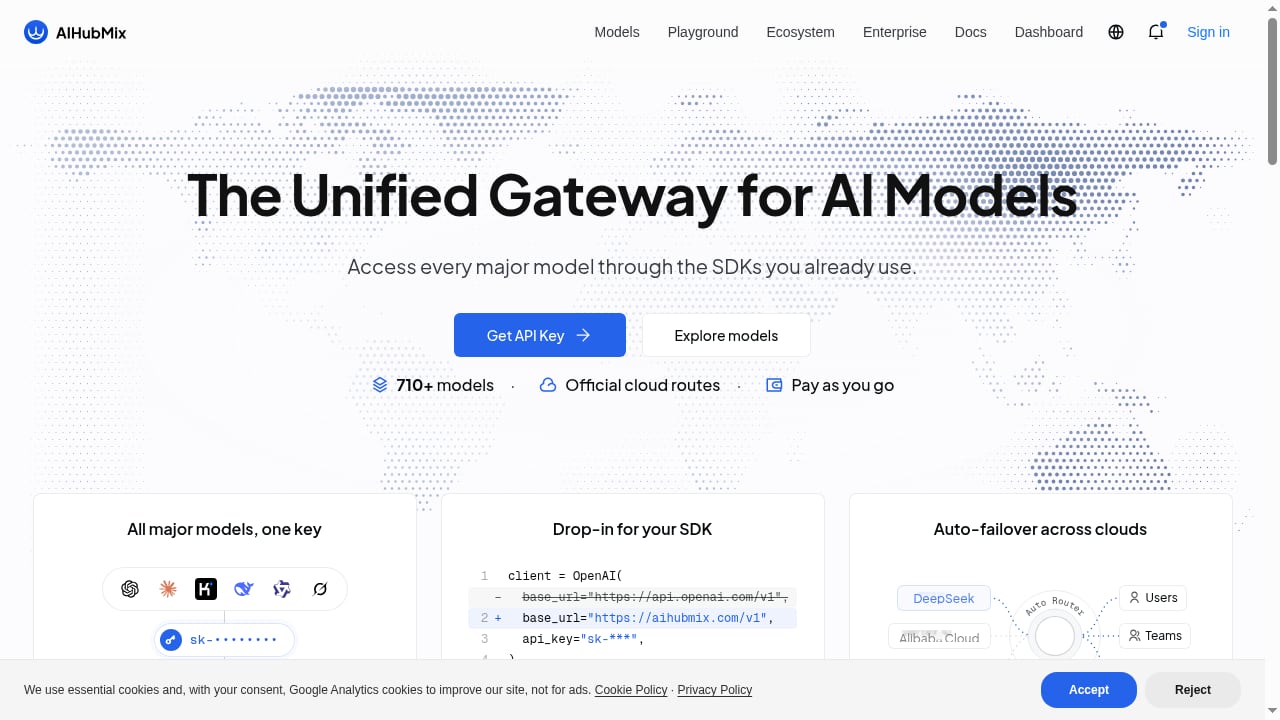
First viewport screenshot of aihubmix.com.
HelpKnow AI is built to ingest your business knowledge and turn it into an AI agent that can greet customers, answer complex questions, and execute tasks like order processing or express tracking through super skill plugins. The platform claims over 1,000 enterprise customers, a 70% reduction in customer service costs, and a 95% automated resolution rate.
AIHubMix sits underneath as the model gateway. Instead of hardcoding one provider, you point HelpKnow AI's model calls at AIHubMix's endpoint. That gives you:
- Model flexibility: Switch between GPT, Claude, Gemini, DeepSeek, Qwen, and others without changing your HelpKnow AI configuration.
- Automatic failover: If one provider has an outage, AIHubMix can route to another, keeping your customer service agent online.
- Simplified billing: One API key and one invoice for all model usage, with pay-as-you-go token-based pricing.
- Cost control: Route simple FAQ traffic to cheaper models and complex reasoning to premium ones.
The combination solves a common enterprise problem: you want a specialized customer service agent, but you do not want to rebuild it every time a better or cheaper model appears.
How the integration works
First viewport screenshot of aihubmix.com.
HelpKnow AI handles the customer-facing layer: knowledge ingestion, intent recognition, conversation flow, and business actions. AIHubMix handles the model layer: routing each request to the model you choose.
A typical request flow looks like this:
- A customer asks a question in your existing support channel.
- HelpKnow AI recognizes the intent and retrieves relevant knowledge from its knowledge brain.
- HelpKnow AI sends the prompt to AIHubMix's OpenAI-compatible endpoint.
- AIHubMix routes the request to the configured model and returns the response.
- HelpKnow AI formats the answer, triggers any required action plugin, and replies to the customer.
Because AIHubMix is a drop-in replacement for OpenAI SDK code, any HelpKnow AI configuration that accepts a custom base URL and API key can use it.
Setup steps
First viewport screenshot of aihubmix.com.
Step 1: Create your AIHubMix account and API key
Sign up at AIHubMix and generate an API key. New accounts receive 10 free trial calls, which is enough to test the connection. Note your base URL; it typically follows the pattern https://aihubmix.com/v1 for OpenAI-compatible requests.
Step 2: Configure HelpKnow AI's model provider
In HelpKnow AI's agent or model settings, look for the option to use a custom OpenAI-compatible provider. Enter:
- Base URL: your AIHubMix endpoint
- API key: the key you generated
- Model ID: the model you want to start with, for example
gpt-4o-minifor FAQ traffic or a Claude model for complex reasoning
If HelpKnow AI does not expose a custom base URL field directly, check whether it supports environment variables or a configuration file where you can override the OpenAI endpoint.
Step 3: Test with a simple prompt
Before connecting live customer traffic, send a test message through HelpKnow AI and confirm the response comes back correctly. Check the AIHubMix dashboard for the request log to verify routing and token usage.
Step 4: Set up model routing rules
Decide which models handle which intents. A practical starting point:
- Simple FAQs and greetings: a fast, low-cost model such as
gpt-4o-miniordeepseek-v4-flash. - Complex troubleshooting or policy questions: a stronger model such as
claude-sonnet-4-7orgpt-5.5. - Action confirmations (order status, returns): a reliable mid-tier model with low latency.
AIHubMix's Playground is useful for comparing model outputs on sample customer questions before you commit to a routing scheme.
Step 5: Enable failover and monitor
Configure AIHubMix's auto-failover so that if your primary model provider is unavailable, requests route to a backup. Monitor token usage and response quality in the AIHubMix dashboard, and adjust routing as your conversation volume grows.
Practical examples
Example 1: E-commerce order tracking
A customer asks, "Where is my order #4821?" HelpKnow AI recognizes the intent, calls its express tracking plugin to fetch the status, and uses AIHubMix to generate a natural-language reply. You can route this intent to a low-cost model because the answer is mostly structured data.
Example 2: Multi-language support
A customer writes in Spanish. HelpKnow AI detects the language and sends the prompt through AIHubMix to a model with strong multilingual performance, such as Gemini or Qwen. The knowledge brain still supplies the product details, so the answer stays accurate.
Example 3: Cost-aware escalation
A customer asks a complex billing dispute question. HelpKnow AI's intent recognition flags it as high-complexity and routes it through AIHubMix to a premium reasoning model. Simpler questions in the same session stay on the cheaper model, keeping average cost per conversation down.
Problems the combination solves
First viewport screenshot of aihubmix.com.
- Vendor lock-in: You are not tied to one model provider's pricing or availability.
- Integration sprawl: One API key replaces multiple provider accounts and SDKs.
- Outage risk: Auto-failover keeps the agent responding during provider incidents.
- Cost unpredictability: Transparent token-based pricing and routing rules make spend easier to forecast.
- Slow model experimentation: You can test a new model in AIHubMix's Playground and switch HelpKnow AI to it without a rebuild.
Decision guidance: when to use this setup
This combination fits best when you already have or plan to deploy HelpKnow AI for customer service and want flexibility in the underlying model. It is less necessary if you have a single approved model provider and no need for failover or cost routing.
If you are still evaluating customer service platforms, see our comparison of HelpKnow AI vs Desk365 vs HelpJet and HelpKnow AI vs Verint. For teams automating backend workflows alongside customer service, our guide to using HelpKnow AI with UiPath covers the automation layer.
Related reading
- HelpKnow AI vs The AI Customer Experience Platform for Enterprise - Compare HelpKnow AI with The AI customer experience platform for enterprise. See how knowledge learning, action plugins, and automation depth differ for enterprise support.
Sources and further reading
- AIHubMix - One API for Any Model - Access leading AI models through one unified, OpenAI-compatible API. Connect to ChatGPT, Claude, Gemini, DeepSeek, Doubao, Qwen and more through a single endpoint.
FAQ
Does HelpKnow AI officially support AIHubMix?
AIHubMix lists HelpKnow among apps that integrate it as a model provider, and AIHubMix's OpenAI-compatible endpoint means any HelpKnow AI configuration that accepts a custom base URL can connect. Check both vendors' current documentation for the latest supported configuration fields.
Do I need separate API keys for each model provider?
No. AIHubMix provides one API key for all supported models, which simplifies HelpKnow AI's configuration and billing.
Can I use AIHubMix's free trial to test the integration?
Yes. New AIHubMix accounts receive 10 free trial calls, enough to verify the connection and test a few prompts before committing to paid usage.
What happens if my primary model provider goes down?
AIHubMix's auto-failover can route requests to a backup provider, so HelpKnow AI's agent continues responding. You configure the failover order in AIHubMix.
How do I control costs?
Use AIHubMix's token-based pricing dashboard to monitor usage, and set HelpKnow AI to route simple intents to cheaper models. AIHubMix's model rankings and Playground help you compare cost and quality before switching.
Conclusion
HelpKnow AI gives you a customer service agent that learns your business and can take action. AIHubMix gives that agent a flexible, reliable model layer. Together, they reduce integration overhead, protect against outages, and let you optimize cost per conversation without rebuilding your agent. Start with a test key, route your simplest intents first, and expand model usage as you validate quality.
For more on AIHubMix's ecosystem and supported apps, see the AIHubMix ecosystem page and the AIHubMix app directory.