
How to Use HelpKnow AI with HelpSite: AI Knowledge Base Setup
HelpKnow AI gives you an enterprise AI agent that can resolve customer questions around the clock. HelpSite gives you a simple, AI-searchable knowledge base where those answers live. Used together, they solve a common enterprise problem: the AI agent is only as good as the knowledge it can find.
This article explains how the two products fit together, the step-by-step workflow, practical examples, and the problems the combination removes.
Why pair HelpKnow AI with HelpSite?
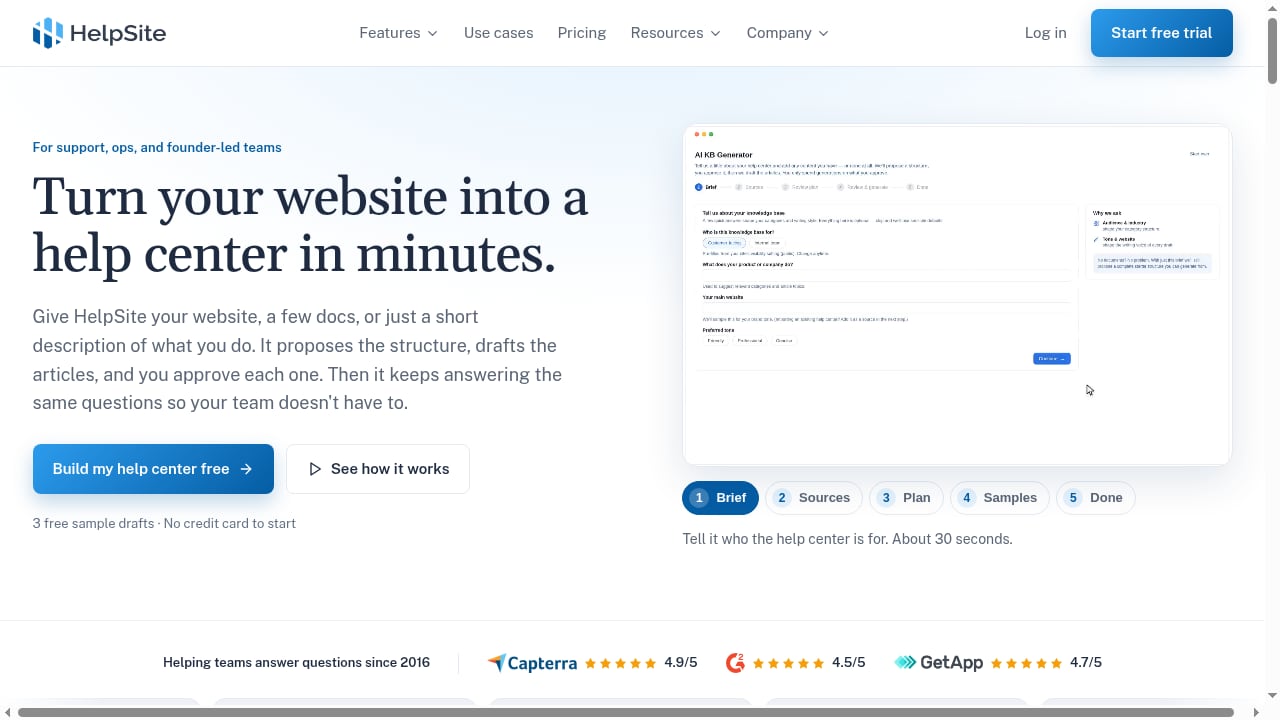
First viewport screenshot of HelpSite: Simple AI-searchable knowledge base software.
HelpKnow AI is built to learn from documents, FAQs, and product catalogs, then take over support conversations inside your existing customer service systems. HelpSite is built to organize public help centers, private SOPs, and sourced answers into a structure that both people and AI can search.
The pairing works because each product covers a different half of the same job:
- HelpSite produces and maintains the source of truth: categories, articles, FAQs, and internal procedures.
- HelpKnow AI consumes that source of truth, learns it, and applies it in live customer conversations.
Without a clean knowledge base, an AI agent guesses. With HelpSite feeding HelpKnow AI, the agent answers from reviewed, published content instead.
How the two products divide the work
First viewport screenshot of HelpSite: Simple AI-searchable knowledge base software.
| Layer | HelpSite | HelpKnow AI |
|---|---|---|
| Content creation | AI KB Generator drafts categories and articles from your website, PDFs, Word docs, Google Drive, or pasted text | Ingests uploaded documents, FAQs, and product catalogs for AI learning |
| Content review | Drafts stay private until you approve and publish | Uses approved knowledge to answer customers |
| Customer interaction | Public help center and private SOPs | 24/7 AI agent responses inside your support systems |
| Business actions | Sourced answers customers can trust | Skill plugins for order tracking, order processing, and similar tasks |
| Oversight | Article editor, duplicate checks, publishing controls | Smart intent recognition, conversation statistics, resolution tracking |
Step-by-step setup
First viewport screenshot of HelpSite: Simple AI-searchable knowledge base software.
Step 1: Build or migrate your knowledge base in HelpSite
Start in HelpSite. If you already have help content, the AI KB Generator can crawl your website or existing help center, scan PDFs and Word documents, pull from Google Drive, or accept pasted text. It proposes a category and article structure first, flags possible duplicates, and generates sample drafts so you can judge quality before committing.
If you have no content yet, you can start from scratch with a short brief about your product and audience. Generated articles are created as drafts by default, so nothing reaches your live help center until you review and publish it.
Step 2: Review and publish the articles HelpKnow AI will learn from
This is the quality gate. Anything inaccurate, outdated, or duplicated should be fixed here, because HelpKnow AI will treat published content as authoritative. Focus on:
- How-to guides for common customer tasks
- Conceptual explainers for policies and product behavior
- FAQs with direct question-and-answer pairs
- Troubleshooting articles for known failure modes
Step 3: Feed the knowledge into HelpKnow AI
In HelpKnow AI, add the knowledge base for your AI employee. You can upload documents, add product descriptions and operating instructions, add Q&A pairs, and attach materials such as images, audio, video, and files. If your HelpSite help center is public, point HelpKnow AI at it as a source; if the content is private, export or upload the relevant articles instead.
Step 4: Configure the AI employee
HelpKnow AI lets you shape how the agent behaves: character settings, tone, variables and tools inside responses, and AI memory so the agent keeps context across a customer conversation. Configure these before you test, because tone and memory settings change how knowledge is delivered, not just what is delivered.
Step 5: Add skills and plugins for real tasks
Knowledge answers questions. Skills and plugins finish the job. Connect your store or order system so the agent can handle order queries, logistics tracking, product search, and recommendations. HelpKnow AI supports integrations such as Shopify, ShopsPass, and WooCommerce, plus custom plugins and tools.
Step 6: Connect HelpKnow AI to your support channels
Create the AI employee and connect it to your website and social media channels, or integrate it into your existing third-party customer service system. This is where the agent starts handling live conversations alongside human staff.
Step 7: Test, measure, and iterate
Run real scenarios before full rollout. HelpKnow AI provides statistics on AI employee consumption, conversation details, and session resolution status. When responses underperform, the fix is usually upstream: a missing HelpSite article, an ambiguous FAQ, or an outdated document.
Practical examples
Example 1: A new product launch
Your team writes a short brief in HelpSite. The AI KB Generator proposes a category structure and drafts setup guides, FAQs, and troubleshooting articles. You edit and publish. HelpKnow AI learns the published set and starts answering launch questions on your website the same week.
Example 2: Migrating off an old help desk
You point the HelpSite AI KB Generator at your existing help center and internal documents. It flags duplicates before drafting, so your new knowledge base starts cleaner than the old one. HelpKnow AI then works from a single, reviewed source instead of scattered legacy pages.
Example 3: Order status without a human
A customer asks where their order is. HelpKnow AI recognizes the intent, uses a connected order plugin to pull tracking data, and replies with the status. The HelpSite article explaining delivery timelines supplies the surrounding context, so the answer is complete rather than just a tracking number.
Example 4: Private SOPs behind a public help center
Your public HelpSite center handles customer-facing answers. Your private SOPs cover internal escalation rules. HelpKnow AI can learn from both, so the agent follows company procedure while giving customers a consistent public answer.
Problems this combination solves
- AI agents that hallucinate. Published, reviewed HelpSite content gives HelpKnow AI a grounded source instead of open-ended guessing.
- Knowledge scattered across tools. HelpSite consolidates website pages, PDFs, Word documents, Google Drive files, and pasted notes into one structured base.
- Slow knowledge base creation. The AI KB Generator produces a working structure and drafts in hours rather than weeks, with human approval at every step.
- Answers that stop short of action. HelpKnow AI skill plugins turn a correct answer into a completed task such as order tracking or product recommendation.
- No visibility into AI performance. Conversation statistics and resolution status show where knowledge gaps remain.
Decision guidance: when this pairing fits
First viewport screenshot of HelpSite: Simple AI-searchable knowledge base software.
Use HelpKnow AI with HelpSite when you need an enterprise AI agent that answers from a controlled, AI-searchable knowledge base and can also execute business tasks. It fits teams migrating help content, launching new products, or scaling support without proportional headcount growth.
If you already have a mature knowledge base in another system, you may only need HelpKnow AI's knowledge feeding and integration layer. If you mainly need a public help center and not an AI agent, HelpSite alone may be enough. For a broader view of how this compares with other platforms, see our HelpKnow AI vs Kustomer vs eGain comparison and the top AI agent platforms for customer support.
Related reading
- HelpKnow AI vs Capacity: Enterprise CX Automation Showdown - Compare HelpKnow AI and Capacity CX Automation Platform for enterprise customer service. See differences in AI resolution, knowledge management, and plugins.
- NiCE CXone Review 2026: AI Contact Center Pros, Cons & Fit - Evidence-based NiCE CXone review: AI capabilities, omnichannel strengths, WFM and support limitations, pricing signals, setup effort, and who should buy it.
Sources and further reading
- HelpKnow-EN - HelpKnow-EN
FAQ
Do I need existing content to start?
No. HelpSite's AI KB Generator can build a starting structure and draft articles from scratch using a short brief about your product, audience, and tone. Adding sources is optional.
Will generated articles publish automatically?
No. Generated articles are created as drafts. Nothing appears on your live knowledge base until you review and publish it.
Can HelpKnow AI learn from a private knowledge base?
Yes, through document uploads and Q&A entries rather than a public crawl. HelpSite supports private SOPs, and HelpKnow AI accepts uploaded documents, FAQs, and product catalogs.
What happens when the AI gives a wrong answer?
Treat it as a content signal. Check the relevant HelpSite article for accuracy and clarity, update it, then confirm HelpKnow AI has re-learned the change. HelpKnow AI's troubleshooting guidance covers cases where responses do not change after configuration edits.
Does this replace human support agents?
It reduces the volume of routine questions reaching humans. HelpKnow AI can also be configured so only new customers are handled by the AI employee while existing customers go to human staff.
How long does setup take?
The knowledge base is usually the long pole. With the AI KB Generator, a first draft structure can be ready quickly, but review and publishing time depends on how much content you need to verify.
Conclusion
HelpKnow AI and HelpSite solve the two halves of AI customer service: the agent that answers, and the knowledge it answers from. HelpSite builds and governs the content. HelpKnow AI learns it, applies it in live conversations, and completes tasks through plugins. Start with a clean, reviewed knowledge base, feed it into your AI employee, connect your channels, then measure and refine. For a related enterprise setup walkthrough, see how to use HelpKnow AI with IBM.
For more detail on the knowledge base side, see the HelpSite AI KB Generator overview and the HelpKnow AI getting started guide.