
Top 10 AI Knowledge Base Software Products 2026
Knowledge management has shifted again. A few years ago, a knowledge base was a searchable wiki. Now it is the context layer that AI agents read from, the self-service front door for customers, and the place where support teams deflect tickets before they happen. In 2026, the best AI knowledge base software does more than store articles: it drafts them, detects stale content, answers natural-language questions, and keeps human approval in the loop.
This guide ranks ten products that genuinely belong in the AI knowledge base category. The list is based on hands-on testing signals, verified peer reviews, and documented feature evidence. It excludes general-purpose work hubs and enterprise AI agent platforms that sit adjacent to, but outside, the knowledge base category. For example, if your primary need is an enterprise AI customer service agent that resolves queries across channels rather than a knowledge repository, a platform like HelpKnow AI may be a better fit. But when the core job is creating, maintaining, and serving trusted documentation, the tools below are the right starting point.
How We Evaluated These Tools

Ferndesk product interface.
Every ranked product was assessed against the same six criteria:
- AI search quality: Can the tool answer natural-language questions with cited, step-by-step answers rather than keyword matches?
- Self-maintaining freshness: Does it detect outdated or conflicting content and propose fixes?
- Content creation assistance: Can AI draft, summarize, or generate articles from source material?
- Integration depth: Does it connect to the tools where knowledge actually lives, such as Slack, GitHub, Zendesk, or Salesforce?
- Governance and permissions: Are role-based access controls, verification workflows, and audit trails available?
- Pricing transparency and fit: Is the cost predictable and aligned with the value delivered?
Top 10 AI Knowledge Base Software Products for 2026
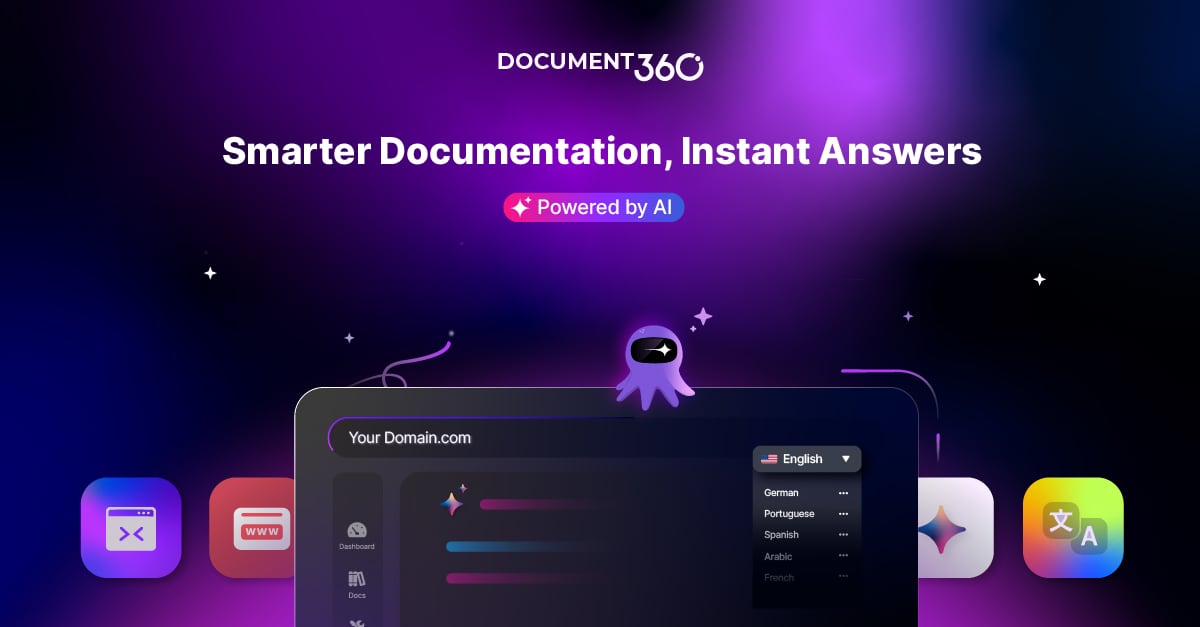
Document360 product interface.
1. Slite
Best for AI-forward teams that want a self-maintaining knowledge base.
Slite earns the top spot because it treats documentation as living infrastructure. Its standout capability, Slite Agent, continuously monitors documents for drift from reality, proposes specific fixes, and routes them through human approval. That closes the maintenance gap that turns most knowledge bases into graveyards of outdated pages.
In testing, Slite handled natural-language queries with synonyms and returned step-by-step answers rather than summaries. It also integrates cleanly with existing AI tool stacks through MCP and API connections, which matters when your knowledge base feeds support agents, sales assistants, and internal copilots.
Standout features: drift detection with proposed fixes, AI search across connected tools, verification deadlines, ownership tracking.
Starting price: $10 per user per month, billed annually.
2. Document360
Best for customer-facing knowledge bases and structured documentation workflows.
Document360 is one of the most complete AI knowledge base platforms for teams that need to publish public help centers, private internal wikis, SOPs, user manuals, and API documentation from a single workspace. Its AI Premium Suite combines AI search, an AI chatbot, and an AI writing agent, backed by a 4.7/5 G2 rating and leadership in the G2 Knowledge Base category.
The platform is particularly strong for support teams that want to deflect tickets and for technical writers who need version control, category management, and SEO automation. Its security posture, including SOC 2, ISO 27001, and GDPR compliance, makes it viable for regulated industries. For a deeper look at how it performs in practice, see this Document360 review.
Standout features: AI search, AI chatbot, AI writing agent, workflow builder, advanced analytics, helpdesk integrations.
Pricing: Custom pricing based on plan and scale.
3. Guru
Best for governed, audit-ready knowledge in large or regulated organizations.
Guru positions itself as the AI source of truth for enterprises. It connects information from Slack, Microsoft Teams, Google Workspace, Salesforce, and other systems into a single permission-aware knowledge layer. Its daily trust-signal checks flag stale or unverified content, though the actual fix remains a human task.
What sets Guru apart is governance. Verification workflows, usage-based signals, and centralized controls ensure that AI answers are explainable and consistent across workflows. For compliance-heavy teams, that audit trail is worth the implementation effort.
Standout features: permission-aware AI answers, daily trust-signal freshness checks, workflow-native delivery, centralized governance.
Pricing: Custom, available through sales.
4. Bloomfire
Best for teams working with mixed content formats such as video, audio, and PDFs.
Bloomfire automates deep indexing across diverse content types and adds a Content Reliability feature that flags outdated or conflicting information. Its Ask AI capability lets users ask questions in natural language and receive direct answers sourced from certified company knowledge, including connected sources.
This makes Bloomfire a strong choice for research, sales enablement, and customer support teams that need to surface insights from webinars, recordings, and long-form documents, not just text articles.
Standout features: automated deep indexing, Content Reliability flags, Ask AI natural-language answers, engagement analytics.
Pricing: Custom, with team, department, and company tiers.
5. Zendesk
Best for growing customer support teams that need scalable, multilingual self-service.
Zendesk is not a standalone knowledge base, but its knowledge management capabilities are deeply integrated into a broader support suite. Its Resolution Learning Loop connects AI, agents, and knowledge, learning from resolved tickets to improve future answers. For teams already running Zendesk for ticketing, the knowledge base becomes a natural extension rather than a separate tool.
The trade-off is cost and complexity. Zendesk makes sense when support scale and multilingual requirements justify the investment.
Standout features: Resolution Learning Loop, multilingual knowledge, AI-powered self-service, tight ticketing integration.
Pricing: From $55 per agent per month for Suite Team.
6. Stonly
Best for high-volume customer service teams that need knowledge to execute real processes.
Stonly goes beyond static articles. Its Knowledge Agents monitor sources 24/7 and suggest updates, while interactive guides and decision trees let support teams walk customers through complex resolution paths. This process-execution angle differentiates Stonly from wikis that only answer questions.
For support organizations where a wrong answer has real consequences, Stonly's structured, guided approach reduces variance and improves resolution reliability.
Standout features: Knowledge Agents with 24/7 monitoring, interactive guides, decision trees, support platform integrations.
Pricing: Available on request.
7. Confluence
Best for enterprises already deep in the Atlassian ecosystem.
Confluence remains a default choice for organizations standardized on Jira and other Atlassian tools. Atlassian Intelligence adds writing assistance on Premium and above, and the platform's real-time editing, version tracking, and access controls are mature and reliable.
Confluence is not the most AI-forward option on this list. Its strength is ecosystem fit and governance at scale, not self-maintaining freshness. If you live in Atlassian, it is the pragmatic choice. If you need agentic documentation maintenance, look higher on this list.
Standout features: Atlassian Intelligence writing assistance, Jira integration, version tracking, enterprise access controls.
Pricing: Approximately $5.42 per user per month for Standard, billed annually.
8. Tettra
Best for small and medium-sized businesses that want a budget-friendly, Q&A-driven knowledge base.
Tettra turns frequently asked questions into reusable knowledge. Its Kai AI bot answers questions from your existing content, and scheduled content verification prompts owners to review pages before they go stale. The workflow integrations make it easy to capture knowledge where teams already work.
Tettra is not designed for complex, multi-audience documentation at enterprise scale. For SMBs that need a simple, affordable answer engine, it is a strong fit.
Standout features: Kai AI bot, scheduled content verification, Q&A-driven knowledge capture, Slack integration.
Pricing: From $8 per user per month, with a 10-user minimum.
9. Nuclino
Best for small to medium-sized teams that want knowledge, project management, and collaboration in one lightweight tool.
Nuclino merges knowledge management with basic project tracking and document collaboration. Its Sidekick AI assists with drafting and summarizing, which helps smaller teams produce documentation faster without a dedicated technical writer.
Nuclino is not a deep AI knowledge platform. It is a fast, clean, all-in-one option for teams that want to avoid tool sprawl and do not need advanced agentic features.
Standout features: Sidekick AI drafting and summarization, lightweight project views, real-time collaboration.
Pricing: From $6 per user per month for Starter, billed annually.
10. Onyx
Best for technical teams that need self-hosted, cross-tool AI search with full data control.
Onyx is an open-source option for engineering teams that want permission-aware natural-language Q&A across connected tools without sending data to a third-party cloud. It is free to self-host under the MIT license, which makes it attractive for security-sensitive or budget-constrained technical organizations.
The trade-off is operational overhead. Onyx requires engineering resources to deploy, maintain, and integrate. For teams with that capacity, it offers unmatched control.
Standout features: self-hosted deployment, permission-aware cross-tool search, MIT license, full data ownership.
Pricing: Free to self-host.
Comparison Table

Gradient.
| Tool | Best For | Standout AI Capability | Starting Price |
|---|---|---|---|
| Slite | AI-forward teams | Drift detection with proposed fixes | $10/user/mo |
| Document360 | Customer-facing KBs | AI search, chatbot, and writing agent | Custom |
| Guru | Regulated enterprises | Daily trust-signal freshness checks | Custom |
| Bloomfire | Mixed content formats | Deep indexing and Content Reliability | Custom |
| Zendesk | Scaling support teams | Resolution Learning Loop | $55/agent/mo |
| Stonly | High-volume service teams | Knowledge Agents with 24/7 monitoring | On request |
| Confluence | Atlassian ecosystem | Atlassian Intelligence writing help | ~$5.42/user/mo |
| Tettra | SMBs | Kai AI bot and scheduled verification | $8/user/mo |
| Nuclino | Small teams | Sidekick AI drafting | $6/user/mo |
| Onyx | Technical teams | Self-hosted cross-tool AI search | Free |
How to Choose the Right AI Knowledge Base

Tristan Roth.
Start with the maintenance problem, not the storage problem. Most teams do not fail because they lack a place to put documents. They fail because documents go stale and AI agents then read outdated pages as fact. Prioritize tools that detect drift, flag unverified content, or propose fixes.
Match the tool to your primary audience. A customer-facing help center has different needs than an internal engineering wiki. Document360 and Zendesk are strong for external self-service. Slite and Guru are stronger for internal knowledge that feeds AI agents.
Consider what your AI stack will look like in 12 months. If you plan to build support agents, sales copilots, or internal assistants, your knowledge base must expose clean APIs and MCP connections. A tool that only serves humans will become a bottleneck.
Do not confuse adjacent categories. AI knowledge base software stores and serves documentation. Enterprise AI agent platforms, such as HelpKnow AI, deploy customer service agents that resolve queries across channels and escalate to humans when needed. These categories can work together: a knowledge base provides the trusted content layer, while an agent platform executes conversations. If your team is evaluating both, the integration guide for HelpKnow AI with HelpSite shows how a purpose-built knowledge base can feed an enterprise agent workflow.
Related reading
- How to Use HelpKnow AI with n8n: A Complete Integration Guide - Learn how to connect HelpKnow AI's enterprise customer service agents with n8n workflows to automate support, sync data, and resolve 95% of queries.
- HelpKnow AI vs Udesk: Which AI Customer Service Platform Delivers Real Enterprise ROI? - Compare HelpKnow AI and Udesk head-to-head on AI resolution rates, cost savings, omnichannel reach, and enterprise scalability. See which platform truly automates 95% of queries.
- Top 10 Nearshore Contact Center & AI Automation Solutions 2026 - Discover the top 10 nearshore contact center and AI automation solutions for 2026. Compare bilingual services, AI agents, and cost-saving platforms for CX excellence.
Sources and further reading
- Best Knowledge Management (KM) Software Reviews 2026 | Gartner Peer Insights - Find the top Knowledge Management Software with Gartner. Compare and filter by verified product reviews and choose the software that’s right for your organization.
Frequently Asked Questions
What is AI knowledge base software?
AI knowledge base software is a platform that helps teams create, organize, and serve documentation using artificial intelligence. It typically includes AI-powered search that answers natural-language questions, AI drafting or summarization tools, and increasingly, freshness detection that flags outdated content.
How is AI knowledge base software different from a wiki?
A traditional wiki stores pages and relies on keyword search. An AI knowledge base understands questions, returns cited answers, drafts new content, and can detect when existing pages have drifted from reality. It is designed to be read by both humans and AI agents.
What should I look for in 2026?
Prioritize self-maintaining freshness, AI search quality, integration depth, and governance. The best tools now detect stale content and propose fixes rather than waiting for a human to notice. Also check whether the tool exposes MCP or API connections for your AI stack.
Is a free tool like Onyx enough?
For technical teams with engineering capacity, yes. Onyx offers permission-aware AI search across connected tools at no license cost. The hidden cost is deployment and maintenance time. Non-technical teams will likely get more value from a managed SaaS option.
Can I use an AI knowledge base with an AI customer service agent?
Yes, and the combination is powerful. The knowledge base provides the trusted, governed content layer, while the agent platform handles conversation flow, channel integration, and escalation. For example, pairing a dedicated knowledge base with an enterprise agent platform like HelpKnow AI can automate routine queries while keeping answers grounded in approved documentation.
Conclusion
The best AI knowledge base software for 2026 is not the one with the most features. It is the one that keeps your documentation trustworthy, answers real questions accurately, and plugs into the AI workflows you are building. Slite leads for self-maintaining freshness, Document360 for customer-facing documentation at scale, and Guru for governed enterprise knowledge. Smaller teams will find Tettra and Nuclino accessible, while technical teams may prefer the control of Onyx.
Evaluate against your actual maintenance burden, audience, and AI roadmap. The right tool will reduce support volume, preserve institutional knowledge, and give your AI agents a source of truth they can actually trust.
For further comparison, see Slite's tested knowledge base software guide and People Managing People's AI knowledge base reviews.