
How to Use HelpKnow AI with HelpSite for Smarter Support
Customer service teams often face a frustrating paradox: they invest in a powerful AI agent to automate answers, yet the agent struggles because the underlying knowledge is scattered across outdated docs, Slack messages, and siloed drives. Conversely, a meticulously maintained knowledge base can sit underutilized if customers still default to emailing support for every question. The solution lies in pairing an enterprise AI agent platform with a purpose-built knowledge base. This article explains how to combine HelpKnow AI and HelpSite to create a seamless, self-improving support loop that reduces repetitive tickets, accelerates onboarding, and delivers consistent answers across every channel.
Why the HelpKnow AI and HelpSite Combination Solves a Critical Gap
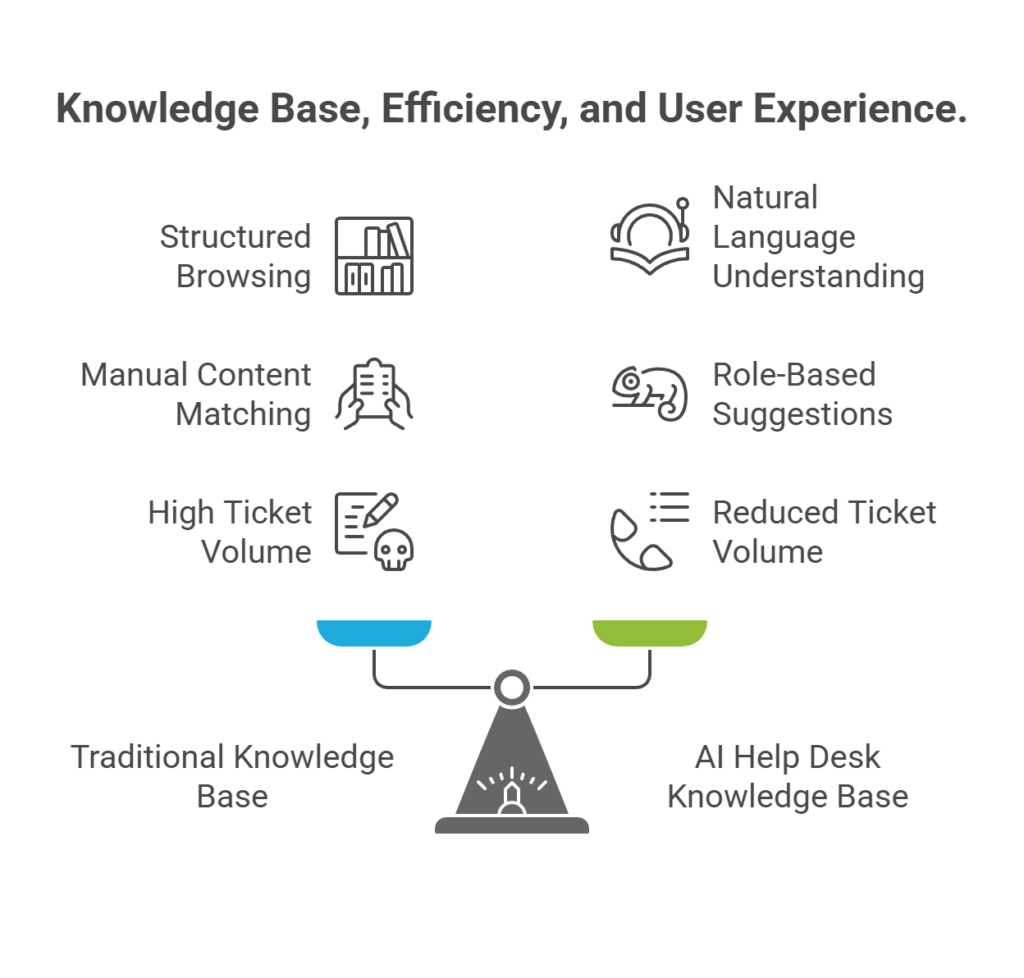
How to Use HelpKnow AI with HelpSite for Smarter Support - Why the HelpKnow AI and HelpSite Combination Solves a Critical Gap.
Many organizations treat their AI agent and their knowledge base as separate tools. The AI is configured to scrape a public website or a static PDF dump, while the knowledge base is maintained by a different team using a different workflow. This disconnect creates three persistent problems:
- Stale answers: The AI agent references content that hasn't been updated in months, leading to incorrect responses and frustrated customers.
- Duplicate effort: Support agents write a perfect answer in a ticket, but that insight never makes it back into the official knowledge base or the AI's training data.
- Blind spots: The knowledge base covers common questions, but the AI agent can't handle nuanced, context-dependent queries because it lacks the guardrails and escalation logic that a dedicated AI platform provides.
HelpKnow AI and HelpSite close this gap by functioning as two halves of a single intelligence system. HelpSite becomes the single source of truth—a clean, AI-searchable repository where every article is versioned, categorized, and instantly updatable. HelpKnow AI connects to that source of truth as its primary knowledge foundation, then layers on intent recognition, customizable AI personas, and role-based human escalation. The result is an AI agent that always answers from the latest approved content, while the knowledge base receives continuous feedback from real customer conversations.
Setting Up the Integration: A Step-by-Step Workflow
You don't need a developer to get this working. The integration follows a logical sequence that mirrors how your support content naturally flows.
1. Build Your Knowledge Foundation in HelpSite
Start by creating the articles your AI agent will use to answer questions. HelpSite's distraction-free editor lets you draft, organize, and publish content quickly. Focus on these categories first:
- Frequently asked questions: The top 20-30 questions your support team answers repeatedly.
- Troubleshooting guides: Step-by-step resolution paths for common product issues.
- Onboarding documentation: Getting-started guides that help new users become productive faster.
- Policy and pricing pages: Clear explanations of plans, refunds, and terms.
Group these articles into logical categories and collections. For example, a SaaS company might create collections for "Account Management," "Billing," "Integrations," and "Security." This structure helps both human readers and the AI agent navigate the content efficiently.
HelpSite supports both public help centers and private internal documentation from a single account. You might publish customer-facing FAQs publicly while keeping internal SOPs and agent scripts restricted to your team. HelpKnow AI can be configured to access only the knowledge sources you approve, maintaining that separation.
2. Connect HelpSite as a Knowledge Source in HelpKnow AI
Once your core articles are live, log into your HelpKnow AI dashboard and navigate to the agent configuration section. Add your HelpSite knowledge base as a primary knowledge source. HelpKnow AI supports multi-format data ingestion, so you can typically connect via URL or API, depending on your setup.
During this step, define the scope of what the AI agent should learn:
- Sync the entire help center if all articles are customer-appropriate and current.
- Select specific categories if some content is internal-only or still in draft.
- Supplement with additional sources such as product databases, PDF spec sheets, or structured FAQs that live outside HelpSite.
HelpKnow AI will perform an initial sync. The platform's AI-powered intent recognition analyzes the content to understand not just keywords but the underlying questions each article answers. This means when a customer types "can't log in," the agent matches the query to your troubleshooting article on password resets, even if the exact phrase doesn't appear in the article title.
3. Configure the AI Persona and Guardrails
With the knowledge foundation in place, shape how the AI agent communicates. HelpKnow AI allows you to customize the agent's persona to match your brand voice—whether that's formal and technical for a B2B financial product or warm and conversational for a consumer app.
Define clear guardrails that tell the agent when to escalate to a human:
- Sensitive topics: Billing disputes, account cancellations, or legal questions that require human judgment.
- Unsupported scenarios: Requests for features you don't offer or troubleshooting steps that could risk data loss if performed incorrectly.
- Emotionally charged situations: Frustrated customers who need empathy and a personal touch.
These guardrails ensure the AI agent operates safely within its permissions, similar to how you would set boundaries for a new support hire. When a guardrail is triggered, HelpKnow AI's role-based human escalation workflow routes the conversation to the appropriate team member with full context.
4. Test and Refine with Real Conversations
Before going live, use HelpKnow AI's testing environment to simulate customer conversations. Ask the agent questions you know your customers ask, and evaluate the responses for accuracy, tone, and completeness.
Pay attention to:
- Answers that feel incomplete: The agent might need an additional article or an improvement note.
- Queries that trigger escalation unnecessarily: You may need to adjust guardrail definitions.
- Tone mismatches: Tweak the persona settings until the voice feels authentic.
Once live, HelpKnow AI's conversation quality analytics provide real-time monitoring of resolution rates, common query clusters, and escalation triggers. Use this data to identify knowledge gaps. If you notice a spike in questions about a new feature, quickly publish an article in HelpSite, and the AI agent will reference it after the next sync.
Practical Examples: Two Common Workflows
Example 1: SaaS Company Reducing Onboarding Tickets
A B2B SaaS company launches a new analytics dashboard. Within the first week, support receives hundreds of questions about connecting data sources. The team:
- Publishes a step-by-step "Connect Your Data Source" guide in HelpSite, organized under the "Getting Started" collection.
- Adds the HelpSite URL as a knowledge source in HelpKnow AI and triggers a manual resync.
- Configures the AI agent's persona to be helpful and encouraging, with a guardrail to escalate if a user mentions data loss or corrupted files.
- Embeds the HelpKnow AI chat widget on the dashboard's settings page.
Result: The AI agent answers 95% of data source connection questions automatically. The support team only handles edge cases involving legacy systems, which they then document as new HelpSite articles, continuously improving the knowledge loop.
Example 2: E-Commerce Brand Handling Seasonal Spikes
An e-commerce brand prepares for Black Friday. They anticipate a surge in questions about shipping deadlines, return policies, and discount codes. The team:
- Creates a "Holiday Shopping FAQ" category in HelpSite with articles on shipping cutoffs, extended returns, and promo code terms.
- Connects HelpSite to HelpKnow AI and sets the agent to prioritize these seasonal articles during November and December.
- Uses HelpKnow AI's omni-channel integration to deploy the same agent across their website chat, Facebook Messenger, and WhatsApp.
- Monitors the analytics dashboard to spot any new question patterns and updates HelpSite articles in real time.
Result: The AI agent handles the seasonal volume spike without hiring temporary staff. Customers get instant answers on every channel, and the support team focuses on complex order issues.
When to Use This Combination vs. Alternatives
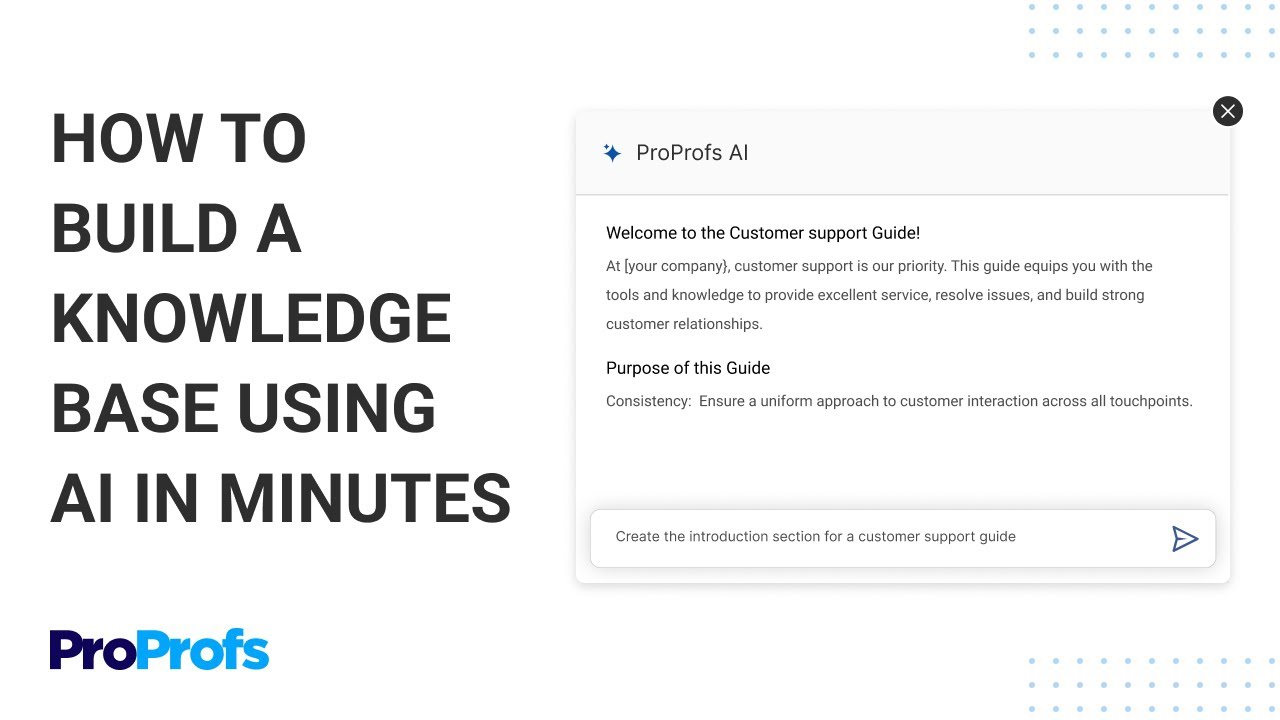
How to Use HelpKnow AI with HelpSite for Smarter Support - When to Use This Combination vs. Alternatives.
Not every support setup requires both tools. Here's a quick decision guide:
- Use HelpSite alone if: You primarily need a clean, searchable knowledge base for customer self-service or internal documentation. Your support volume is manageable, and you don't need an AI agent to proactively answer queries across multiple channels.
- Use HelpKnow AI alone if: You already have a well-maintained knowledge base or documentation site that the AI agent can ingest directly. You need advanced AI features like intent recognition, omni-channel deployment, and analytics, but your content workflow is already solid.
- Use HelpKnow AI with HelpSite if: You want a tightly integrated system where knowledge creation and AI-powered answering reinforce each other. This combination is ideal for growing teams that want to reduce support costs by 70% while maintaining answer quality, or for enterprises that need to scale support without scaling headcount.
For teams evaluating other knowledge base options, our Document360 review explores how different platforms compare. If you're comparing AI agent platforms, see how HelpKnow AI stacks up against alternatives in our HelpKnow AI vs Kore.ai comparison.
Maintaining the Knowledge Loop Over Time
The integration isn't a one-time setup. The most successful teams treat it as a continuous improvement cycle:
- Publish and update: Write new HelpSite articles as products, policies, and common questions evolve.
- Resync knowledge: After significant updates, trigger a manual resync in HelpKnow AI so the agent learns the latest content immediately.
- Review analytics: Check HelpKnow AI's conversation quality dashboard weekly. Look for unresolved queries, high escalation rates, or articles that the agent frequently references incorrectly.
- Close the loop: When a human agent resolves a complex ticket, ask whether the answer should become a new HelpSite article. If yes, publish it and the AI agent will use it next time.
This cycle ensures your AI agent becomes smarter over time, not more outdated.
Related reading
- HelpKnow AI vs Udesk: Which AI Customer Service Platform Delivers Real Enterprise ROI? - Compare HelpKnow AI and Udesk head-to-head on AI resolution rates, cost savings, omnichannel reach, and enterprise scalability. See which platform truly automates 95% of queries.
- Top 10 Nearshore Contact Center & AI Automation Solutions 2026 - Discover the top 10 nearshore contact center and AI automation solutions for 2026. Compare bilingual services, AI agents, and cost-saving platforms for CX excellence.
- How to Use HelpKnow AI with CCSI for Smarter CX - Learn how to combine HelpKnow AI’s enterprise agents with CCSI’s nearshore contact center to automate 95% of queries, cut costs by 70%, and scale support.
Sources and further reading
- AI Agents in Help Scout - AI Agents help keep AI Answers accurate and trustworthy by managing the knowledge and improvements. This article explains what an agent is and shows how to mana
- Smart AI Knowledge Base Software | HelpSite - Create, organize, and scale public or private docs with AI generation, analytics, and versioning—HelpSite is the simple knowledge base that grows with you.
- How to build a relevant and useful knowledge base for ... - I'm launching a SaaS app in the near future and considering operations I want to keep it lean as a start-up. The key to great support is a) access to ...
FAQ
Can I keep some HelpSite articles private while still using HelpKnow AI?
Yes. HelpSite allows you to run both public and private knowledge bases from one account. You can configure HelpKnow AI to access only the public or approved collections, keeping internal SOPs and sensitive documentation hidden from the AI agent.
How quickly does HelpKnow AI learn new HelpSite articles?
After publishing or updating articles in HelpSite, you can trigger a manual resync in HelpKnow AI. The sync time depends on the volume of content but typically completes within minutes. For time-sensitive updates, manual resync ensures the agent uses the latest information immediately.
Do I need technical skills to set up this integration?
No. Both platforms are designed for non-technical users. HelpSite requires no developers to build and publish a knowledge base. HelpKnow AI provides a visual interface for connecting knowledge sources, configuring personas, and setting escalation rules without writing code.
What happens when the AI agent can't answer a question?
HelpKnow AI's guardrail system detects when a query falls outside the agent's knowledge or triggers a sensitive topic. The conversation is then escalated to a human agent through your existing support workflow, with full context so the customer doesn't repeat themselves.
Can I use HelpKnow AI with an existing knowledge base instead of HelpSite?
Yes. HelpKnow AI supports multi-format data ingestion from various sources, including existing knowledge bases, websites, PDFs, and databases. However, HelpSite's purpose-built authoring and organization features make it easier to maintain the content that powers accurate AI answers.
A Smarter Support System Starts with Connected Tools
HelpKnow AI and HelpSite address two sides of the same challenge: getting customers the right answer as quickly as possible. HelpSite ensures that answer exists, is well-organized, and stays current. HelpKnow AI ensures that answer reaches the customer instantly, on any channel, in a natural and brand-appropriate voice. Together, they create a support system where every resolved ticket strengthens the knowledge base, and every new article makes the AI agent more capable. For teams looking to scale support without scaling costs—or simply to stop answering the same questions repeatedly—this combination provides a practical, proven path forward.
To see how HelpKnow AI compares with other enterprise platforms, read our HelpKnow AI vs HappyFox analysis.