
Document360 Review: Is This AI Knowledge Base Right for Your Team?
Choosing a knowledge base platform today means choosing an AI strategy. Legacy tools were built for static documentation, but modern support and product teams need a system that actively answers questions, assists writers, and connects to a growing AI ecosystem. Document360 positions itself squarely in this new category—an AI-powered knowledge base where human expertise and machine intelligence work together. This review examines who should use it, where it excels, and where you might look for alternatives.
What Is Document360?
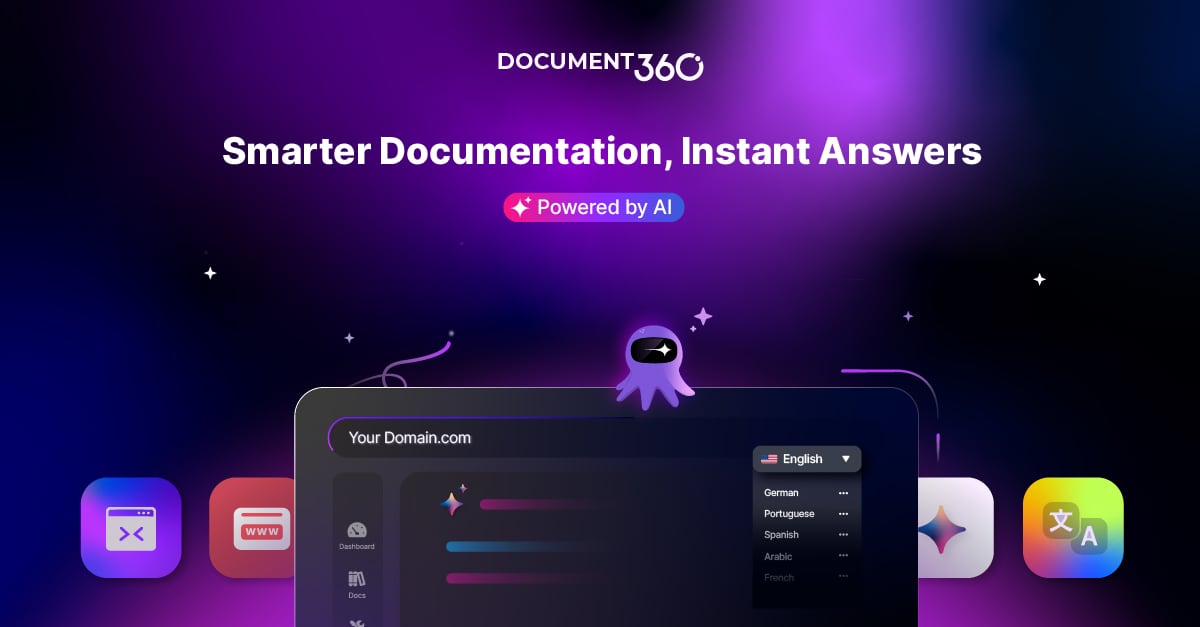
Document360 product interface.
Document360 is a SaaS knowledge base platform designed to centralize how organizations create, manage, and deliver information. It serves public help centers, private internal wikis, standard operating procedures, product documentation, and API references from a single workspace. Over 100 built-in features cover authoring, AI-powered search, an AI writing assistant, analytics, and security controls. The platform holds a 4.7/5 rating on G2 with more than 3,000 reviews and maintains SOC 2, ISO 27001, and GDPR compliance.
Who Is Document360 For?

Gradient.
Document360 targets teams that treat documentation as a product, not an afterthought. The platform fits several distinct profiles:
- Customer support teams that want to deflect repetitive tickets through self-service and an AI chatbot.
- Technical writers managing versioned product docs, API references, or multi-language content.
- Product and engineering leads documenting internal workflows, architecture decisions, and onboarding materials.
- Compliance-heavy industries like finance, healthcare, and manufacturing that require audit trails, role-based access, and data residency controls.
Small teams with simple needs may find the platform overpowered. A one-person startup documenting a handful of features can likely start with a lighter tool. But midsize to enterprise organizations that need structured category management, advanced analytics, and AI-assisted authoring will recognize the value immediately.
Key Features That Set Document360 Apart

Document360 product interface.
AI-Powered Search and Eddy AI Chatbot
Document360’s search is not a basic keyword matcher. It uses AI to understand intent and surface the most relevant article, even when the query phrasing is imprecise. The platform also includes Eddy AI, an AI chatbot that can be trained on your knowledge base and embedded into your help center or connected to tools like Slack and Zendesk. This directly reduces support volume by answering common questions before a human agent gets involved. If you are exploring how AI agents can automate customer queries at scale, understanding how platforms like HelpKnow AI integrate with Document360 shows the next level of autonomous resolution.
AI Writing Agent
An integrated AI writing assistant helps authors draft, summarize, rephrase, and translate content without leaving the editor. This feature is not a gimmick; it genuinely accelerates the writing process for teams that publish high volumes of articles. The assistant can generate first drafts from bullet points, adjust tone for different audiences, and suggest improvements for readability.
Advanced Analytics and Workflow Builder
Document360 goes beyond basic page-view counts. Its Pro Analytics module tracks search terms that return zero results, identifies underperforming articles, and shows content gaps. A visual workflow builder lets teams create custom review and approval pipelines, ensuring that nothing goes live without the right sign-offs. These capabilities matter most for regulated industries and large content teams where governance is non-negotiable.
Security and Compliance Posture
Enterprise buyers will appreciate the SOC 2 Type II and ISO 27001 certifications, GDPR compliance, private hosting options, and granular role-based access controls. Document360 also supports IP restriction, SSO, and audit logs. For organizations comparing enterprise AI customer service platforms, security depth is often a deciding factor, as outlined in our top enterprise AI platforms comparison.
Strengths: What Users Consistently Praise
Analysis of verified reviews on Gartner Peer Insights and G2 reveals several recurring themes:
- Clean, intuitive interface. Both authors and readers report a low learning curve. The dual editor approach—Markdown and WYSIWYG—accommodates technical and non-technical users.
- Strong categorization and search. The category manager makes it easy to organize large documentation sets, and the AI search reliably returns accurate results.
- Responsive support and onboarding. Customers frequently mention helpful migration assistance and a support team that responds quickly during setup.
- Measurable business impact. Case studies cite a 30% increase in documentation traffic, 15% reduction in support tickets, and thousands of monthly article views after switching to Document360.
Limitations and Criticisms
No platform is perfect, and Document360’s limitations tend to surface in specific scenarios.
Integration Flexibility for Custom AI Workflows
Gartner Peer Insights reviewers note that while Document360 offers over 60 native integrations, it can feel rigid when you want to connect external AI systems directly to your documentation. Teams that have built custom AI agents or use non-standard LLM pipelines sometimes wish for a more open API or simpler MCP server configuration. This is a gap that dedicated AI agent platforms like HelpKnow AI address by design, though they serve a different primary function.
Depth for Advanced Technical Documentation
A Reddit discussion among technical writers highlights frustration from users who need deep single-sourcing, complex conditional content, or advanced print outputs. One commenter called it “basic” compared to mature tools like MadCap Flare. Document360 excels at structured web-based knowledge bases, but teams producing multi-format, highly modular documentation for regulated devices or aerospace may hit the ceiling of its authoring engine.
Pricing Transparency
Document360 does not publish fixed pricing on its website. Plans are quote-based and scale with features, users, and storage. This is standard for enterprise SaaS but can frustrate smaller teams trying to budget without a sales conversation. Expect to request a demo and negotiate based on your specific requirements.
Setup and Migration Experience
Document360 offers a guided migration path that includes importing content from platforms like Confluence, Zendesk Guide, WordPress, and GitHub wikis. The platform provides a dedicated migration specialist for larger accounts. Users generally report a smooth transition, though complex content with heavy custom HTML or non-standard formatting may require manual cleanup. The free trial lets you test core features before committing, which is essential for evaluating fit.
Document360 Pricing Signals

Gradient.
While exact figures require contacting sales, market signals indicate that Document360 positions itself as a mid-to-premium solution. The platform offers tiered plans: Standard, Professional, Business, and Enterprise. Key differentiators between tiers include the number of team accounts, private hosting, advanced analytics, workflow builder access, and AI feature limits. Organizations should budget for annual contracts to unlock better rates and should clarify AI usage limits—such as chatbot interactions and AI writing generations—during the evaluation.
Document360 vs. Alternatives: When to Consider Something Else
Document360 competes in a crowded space. The right choice depends on your primary use case.
- For pure AI agent automation: If your goal is to resolve 95% of customer queries without human intervention, a dedicated AI customer service platform may be a better fit. HelpKnow AI vs. HappyFox compares two approaches to autonomous support.
- For complex, multi-format technical documentation: MadCap Flare or Adobe RoboHelp remain stronger for teams that need advanced single-sourcing, conditional publishing, and print/PDF outputs.
- For tight budgets and simplicity: Tools like Helpjuice or Nuclino offer simpler, more affordable knowledge base solutions, though they lack Document360’s AI depth and enterprise security.
- For developer-first API docs: ReadMe or Mintlify may feel more native to engineering teams, though Document360’s API documentation module is competitive.
Decision Criteria: Is Document360 Worth It?
Choose Document360 if you answer yes to most of these questions:
- Do you need a knowledge base that serves both external customers and internal teams?
- Is AI-assisted writing and AI-powered search a priority, not a nice-to-have?
- Do you require SOC 2, ISO 27001, or GDPR compliance?
- Are you willing to invest in a platform that scales with your content strategy?
Look elsewhere if:
- You need deep single-sourcing, conditional content, and multi-format publishing.
- Your primary need is an autonomous AI agent rather than a documentation platform.
- You have a very small team and a limited budget for knowledge base software.
Related reading
- n8n Review 2026: The Developer's Workflow Automation Powerhouse - An evidence-based n8n review covering AI agents, self-hosting, pricing, and ideal use cases for technical teams. See if n8n's code-first flexibility beats no-code tools.
- Top 10 AI Workflow Automation Platforms 2026 - Discover the top 10 AI workflow automation platforms for 2026. Compare features, pricing, and use cases for n8n, Zapier, Make, and more to find the best fit.
Sources and further reading
- Document360 Reviews & Ratings 2026 | Gartner Peer Insights - Explore 47 in-depth Document360 reviews and insights from real users verified by Gartner, and choose your business software with confidence.
- Choosing Documentation Tool for a Software Company - Doc360 is pants. You will learn it in a day and get frustrated in a week. It really is basic. Flare and Central are solid.
- Build Intelligent Documentation with AI Knowledge Base Software - Start building intelligent documentation today with AI search, AI chatbot, and writing tools inside Document360, the knowledge base trusted by teams worldwide.
FAQ
What is Document360 used for?
Document360 is used to create, organize, and publish knowledge bases for customer support, internal wikis, product documentation, SOPs, and API references. It includes AI tools for search, writing, and chatbot responses.
Does Document360 offer a free plan?
Document360 offers a free trial, but it does not have a permanent free plan. Paid plans are quote-based and scale with features and team size.
How does Document360’s AI chatbot work?
The AI chatbot, Eddy AI, is trained on your knowledge base content and can be embedded in your help center or integrated with tools like Slack and Zendesk to answer user questions automatically.
Is Document360 secure for enterprise use?
Yes. Document360 holds SOC 2 Type II and ISO 27001 certifications, supports GDPR compliance, and offers private hosting, SSO, IP restrictions, and granular role-based access controls.
What are the top Document360 alternatives?
Alternatives depend on your needs. For AI-first customer service automation, consider HelpKnow AI. For advanced technical writing, MadCap Flare is a strong option. For simpler, lower-cost knowledge bases, Helpjuice or Nuclino may suffice.
Final Verdict
Document360 earns its leadership position in the knowledge base category by delivering a platform that genuinely integrates AI into the documentation workflow—not as a bolt-on, but as a core capability. The authoring experience is polished, the AI search is effective, and the analytics provide actionable insights. For midsize to enterprise teams that view documentation as a strategic asset, Document360 is a strong, future-ready choice. The main caveats involve integration flexibility for custom AI pipelines and depth for the most demanding technical documentation scenarios. If your requirements align with its strengths, Document360 will likely reduce support costs and improve how your organization shares knowledge.