
How to Use HelpKnow AI with Call Center Services International's Mexico Nearshore Center
Enterprise support leaders face a familiar squeeze: customers expect instant, accurate answers around the clock, while labor costs and agent turnover keep climbing. HelpKnow AI and Call Center Services International (CCSI) offer a practical way out. HelpKnow AI handles high-volume, knowledge-driven questions automatically, and CCSI's Mexico nearshore contact center provides bilingual human agents for the conversations that need a person. Together, they form a hybrid support model that reduces cost without sacrificing quality.
This guide explains how the two products work together, how to set them up, and what problems the combination solves.
Why combine an AI agent platform with a nearshore contact center?
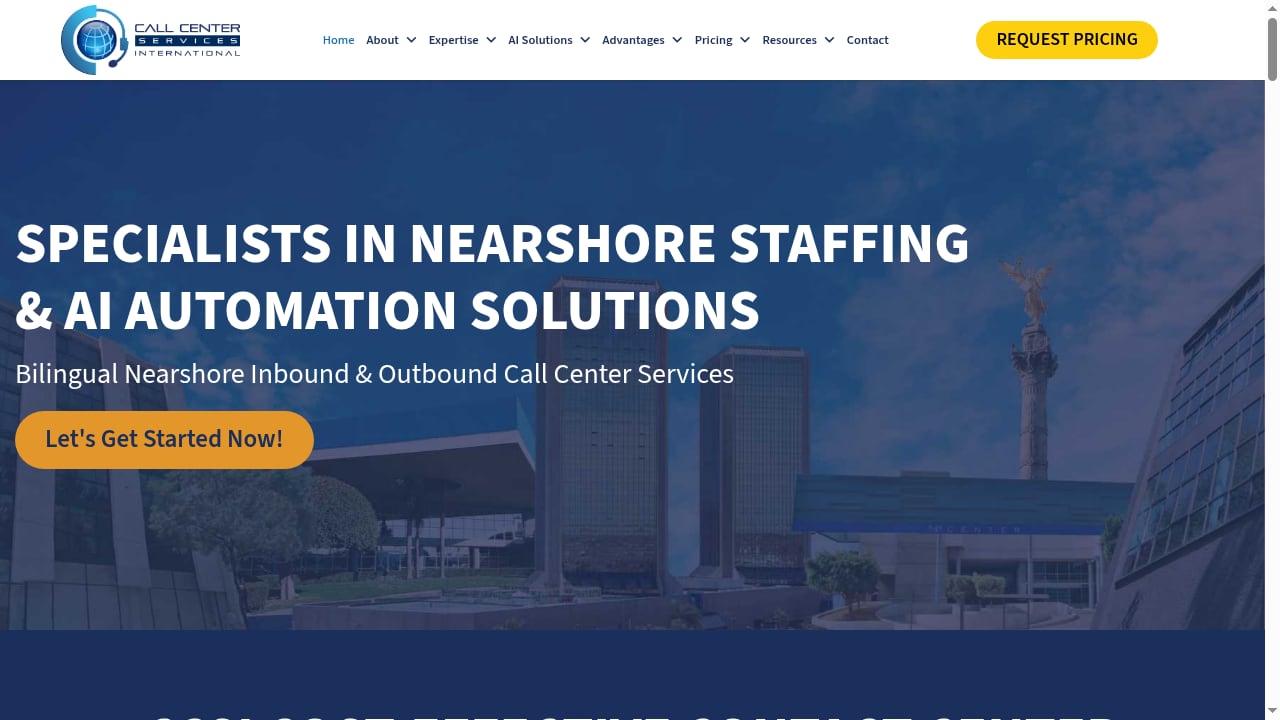
First viewport screenshot of Call Center Services International, Nearshore contact and development center in mexico..
HelpKnow AI is an enterprise AI agent platform that lets you build and deploy AI agents in one click. It learns from your documents, FAQs, and product catalogs, then integrates into your existing customer service systems to provide 24/7 second-level responses. Its super skill plugins handle practical tasks like express tracking and order processing, and smart intent recognition routes complex issues to the right place.
CCSI is a cost-effective nearshore call center in Mexico with bilingual agents, top infrastructure, and global rates. It gives you a human layer that speaks both English and Spanish, works in your time zone, and can be scaled up or down as demand changes.
The logic of the pairing is simple: let AI resolve the repetitive, knowledge-based tickets instantly, and let CCSI agents focus on high-value, empathetic, or ambiguous conversations. This is the same division of labor that makes AI customer service platforms for B2B teams effective, but with a dedicated nearshore human team behind the AI.
How the workflow operates

First viewport screenshot of Call Center Services International Corporate Advantage Program.
When a customer reaches out through chat, email, or a messaging channel, the request first hits HelpKnow AI. The AI agent uses your knowledge base to answer common questions, such as "Where is my order?" or "How do I reset my password?" If the customer needs a refund, a technical escalation, or a nuanced explanation, HelpKnow AI recognizes the intent and hands the conversation to a CCSI agent, passing along the full context.
CCSI agents see the AI's summary, the customer's history, and any relevant order data. They resolve the issue and, if they discover a new pattern, they can flag it so the knowledge base is updated. Over time, the AI handles more and more of the volume, and the human team handles less.
This handoff is not a one-way street. CCSI agents can also escalate back to HelpKnow AI for tasks like checking a tracking number or processing a standard order change, using the platform's plugins.
Setup steps
First viewport screenshot of Call Center Services Turnkey Program.
1. Prepare your knowledge base
Gather your FAQs, product catalogs, return policies, and troubleshooting guides. Upload them to HelpKnow AI. The platform learns from these documents and uses them to generate answers. If you already use a knowledge base tool, you can connect it directly; for example, the HelpKnow AI and HelpSite setup guide shows how to make your knowledge base AI-searchable.
2. Configure HelpKnow AI agents
Define the scope of your AI agents. Decide which topics they can handle autonomously and which should always go to a human. Set up smart intent recognition so the AI can detect when a customer is frustrated or when a request falls outside its knowledge. Enable the plugins you need, such as order tracking or express delivery checks.
3. Integrate with your customer service system
HelpKnow AI integrates with third-party customer service systems. Connect it to your ticketing or live chat platform so it can take over conversations seamlessly. This is the step that lets the AI act as a second-level responder inside your existing workflow.
4. Onboard CCSI agents
Work with CCSI to train their agents on your products, tone, and escalation rules. Because CCSI is nearshore, you can schedule live training sessions in your time zone. Provide agents with access to the same knowledge base and any internal tools they need.
5. Define escalation and handoff rules
Set clear rules for when HelpKnow AI should hand off to CCSI and when CCSI should hand back to AI. For example, AI handles order status, password resets, and basic how-to questions. CCSI handles billing disputes, complex technical issues, and retention conversations. Document these rules and review them monthly.
6. Monitor and improve
Use HelpKnow AI's analytics to see resolution rates, common intents, and gaps in the knowledge base. Share these insights with CCSI so agents can focus on the areas where AI struggles. Update the knowledge base regularly to improve AI performance.
Practical examples
Example 1: E-commerce order tracking. A customer asks, "Where is my package?" HelpKnow AI uses its express tracking plugin to pull the latest status and replies instantly. If the package is delayed and the customer wants a refund, the AI escalates to a CCSI agent who can process the refund and offer a discount code.
Example 2: SaaS technical support. A user reports an error message. HelpKnow AI searches the knowledge base for the error code and provides a step-by-step fix. If the fix does not work, the AI hands off to a CCSI agent who can remote into the system or escalate to engineering.
Example 3: Bilingual support. A Spanish-speaking customer contacts support. HelpKnow AI can respond in Spanish if your knowledge base includes Spanish content. If the issue is complex, it routes to a bilingual CCSI agent who continues in Spanish.
Problems the combination solves
First viewport screenshot of Unlocking Cost Efficiency: Mexico Call Center Services Pricing.
- High cost per contact: HelpKnow AI reduces customer service costs by up to 70% by automating routine inquiries. CCSI provides human support at nearshore rates, which are typically lower than onshore rates.
- Limited coverage hours: HelpKnow AI works 24/7. CCSI can provide extended hours or follow-the-sun coverage.
- Language barriers: CCSI's bilingual agents handle English and Spanish, while HelpKnow AI can support multiple languages based on your knowledge base.
- Agent burnout: By offloading repetitive questions to AI, CCSI agents can focus on more satisfying, complex work, which can improve retention.
- Slow resolution times: AI resolves common issues instantly, and CCSI agents handle escalations without the customer repeating information.
Decision guidance: when to use this combination
This hybrid model works best for companies that:
- Have a high volume of repetitive customer questions.
- Serve customers in North America and want nearshore, bilingual support.
- Want to reduce support costs without sacrificing quality.
- Need 24/7 coverage but cannot afford three shifts of onshore agents.
If your support volume is low or your issues are highly specialized, you may not need a full nearshore team. In that case, start with HelpKnow AI alone and add CCSI as volume grows. For a broader comparison of AI platforms, see this comparison of HelpKnow AI, HelpCrunch, and LiveAgent.
Related reading
- HelpKnow AI vs HelpCrunch vs LiveAgent: 2026 Comparison - Compare HelpKnow AI, HelpCrunch, and LiveAgent for enterprise customer service. See where each wins on AI resolution, knowledge, plugins, and cost.
- HelpKnow AI vs Helpshift: Enterprise AI Agent vs Gaming CX - Compare HelpKnow AI and Helpshift for enterprise AI customer service. See where HelpKnow AI wins on knowledge feeding, plugins, and resolution.
- Ada Review 2026: Enterprise AI Customer Service Agents - Evidence-based Ada review for enterprise CX: autonomous resolution, pricing signals, setup effort, limitations, and who should buy it in 2026.
Sources and further reading
- HOW DO WE REACH MORE? - Squarespace - development of Columbia Point, an important pre-contact village and ... For more information call Wanapum Heritage Center 509 754-5088 extensions ...
- Ocean Coastal Management and the Blue Economy - to develop centralised reservations with accurate email, phone and website contact details. ... Global Environment Facility and the United Nations Development ...
- Powered Paragliding Bible 7: The Ultimate Paramotor Manual and Reference [7 ed.] 9780977096657, 0977096653 - DOKUMEN.PUB - PPG Bible 7 PPG Bible 7 is a clear, CONCISE, and professionally-illustrated guide for anyone wanting to become an...
Frequently asked questions
How long does it take to set up HelpKnow AI with CCSI?
Initial setup of HelpKnow AI can take a few days, depending on how much knowledge you need to upload. CCSI onboarding typically takes one to two weeks, including training and integration testing.
Can HelpKnow AI hand off to CCSI agents automatically?
Yes. HelpKnow AI integrates with your customer service system and can route conversations to CCSI based on rules you define, such as intent, sentiment, or customer value.
Does CCSI support both English and Spanish?
Yes. CCSI's nearshore center in Mexico provides bilingual agents who can support customers in English and Spanish.
What happens if HelpKnow AI cannot answer a question?
HelpKnow AI recognizes when it lacks the knowledge to answer and escalates to a human agent. With CCSI, that escalation goes to a trained bilingual agent who can resolve the issue.
How do we measure success?
Track metrics like automated resolution rate, average handle time, cost per contact, and customer satisfaction. HelpKnow AI provides analytics on AI performance, and CCSI can report on human agent metrics. Review these together to find improvement opportunities.
Conclusion
Combining HelpKnow AI with Call Center Services International's Mexico nearshore center gives you the best of both worlds: fast, always-on AI resolution for routine questions and skilled, bilingual human agents for complex issues. The setup is straightforward, the workflow is clear, and the cost savings can be substantial. Start by uploading your knowledge, defining your escalation rules, and onboarding your CCSI team. Then let the data guide your improvements.
For more on how AI agents fit into enterprise support, explore our review of Ada's enterprise AI customer service agents and this comparison of HelpKnow AI and Helpshift.