
HelpKnow AI vs Kustomer vs HelpDesk: Which Customer Service Platform Fits Your Team?
Choosing between HelpKnow AI, Kustomer, and HelpDesk comes down to one question: do you need an enterprise AI agent platform, an AI-native CRM for relationship-driven support, or a focused help desk that turns messy inboxes into clean tickets? Each product solves a different problem well. This comparison breaks down their strengths, trade-offs, and the scenarios where each one makes the most sense.
How the Three Platforms Compare at a Glance
Kustomer product interface.
| Capability | HelpKnow AI | Kustomer | HelpDesk |
|---|---|---|---|
| Core focus | Enterprise AI agents built on your knowledge base | AI-native CRM with full customer context | AI-powered ticketing and shared inbox |
| Best for | High-volume automation, multilingual support, ecommerce | B2C/B2B brands that need relationship history in every conversation | Teams that need fast, simple ticket management |
| AI resolution approach | Builds agents that answer from docs, FAQs, and product data | Concierge, Envoy, and Architect AI across the CRM | AI-assisted ticketing and response automation |
| Omnichannel | Desktop, website, social media | Chat, email, text, voice, WhatsApp, Facebook, Instagram | Email, live chat, Messenger, SMS |
| Pricing model | Points-based consumption | Seat-based or usage-based | Starts at $19/user/month |
| Compliance | GDPR, CCPA, and global standards | Enterprise-grade security options | SOC2 compliance |
HelpKnow AI: Enterprise AI Agents That Learn Your Business
HelpKnow AI positions itself as an enterprise AI agent platform rather than a traditional help desk. The core idea is simple: upload your documents, FAQs, product databases, and online documentation, and the platform builds agents that answer customer questions automatically. It then routes complex or low-confidence conversations to human agents with full AI context intact.
Key Strengths
Multi-format knowledge ingestion. HelpKnow AI accepts online documentation, unstructured text documents, structured product libraries, and Q&A documents. That flexibility matters for enterprises that store knowledge in many different formats and systems.
Business-aware agents. The platform supports plugins for Shopify, BigCommerce, and Shoplazza, so an AI agent can check order status, retrieve product information, and recommend alternatives during a conversation. For example, a customer who says "I didn't receive my order from last week" can trigger an order lookup, and the AI replies with actual logistics data. A follow-up like "Are there similar products that are cheaper?" can trigger a product search and recommendation.
Customizable personas and intent recognition. Teams can configure separate agents by business module, language, or region, each with its own model, prompts, knowledge sources, and tools. Debug mode, version rollback, and draft saving support iterative testing before deployment.
Human-AI collaboration loop. When AI confidence drops, the conversation transfers to a human agent who can see the AI's context and tool results. Manual answers then feed back into the knowledge base, so the AI improves with real-world use. HelpKnow AI reports a 95% automatic problem resolution rate and a 70% reduction in customer service costs across its enterprise customer base.
Where HelpKnow AI Fits Best
HelpKnow AI is strongest for enterprises that want to automate a large share of repetitive, knowledge-based inquiries without rebuilding their entire support stack. It works especially well for ecommerce brands that need order and product lookups, multilingual teams that need region-specific agents, and organizations that want a closed loop between AI answers and human escalation.
For teams evaluating broader AI knowledge base options, see this comparison of the top 10 AI knowledge base software products for 2026.
Kustomer: AI-Native CRM for Relationship-Driven Support
Kustomer product interface.
Kustomer takes a different approach. Instead of starting from tickets, it starts from the customer. Every conversation, order, loyalty tier, and past interaction lives on a unified timeline, and AI layers on top of that context.
Key Strengths
Full customer context in every conversation. Kustomer's timeline gives agents a complete view of the customer before they respond. That context powers more personalized answers and reduces the back-and-forth that happens when agents lack history.
Three layers of native AI. Kustomer's AI suite includes Concierge for customer-facing automation, Envoy for agent assistance such as summaries and suggested responses, and Architect for platform-wide AI configuration. This layered approach lets teams automate at the customer level, the agent level, and the operational level.
Broad omnichannel messaging. Kustomer supports chat, email, text, voice, WhatsApp, Facebook, and Instagram. For consumer brands that meet customers on social channels, that breadth is a significant advantage.
Proven outcomes. Kustomer reports a 40% CSAT improvement at APLAZO, a 50% reduction in handle time at Bulletproof, and a 4x increase in AI deflections at Everlane. These proof points suggest strong performance in retail and consumer services environments.
Where Kustomer Fits Best
Kustomer is the right choice for B2C and B2B companies where customer relationships drive revenue. If your support team needs order history, loyalty tier, and churn risk visible in every interaction, Kustomer's CRM foundation is hard to beat. It suits ecommerce, retail, and consumer services teams that want AI to enhance personalization rather than simply deflect tickets.
HelpDesk: Focused Ticketing That Gets Teams Moving Fast
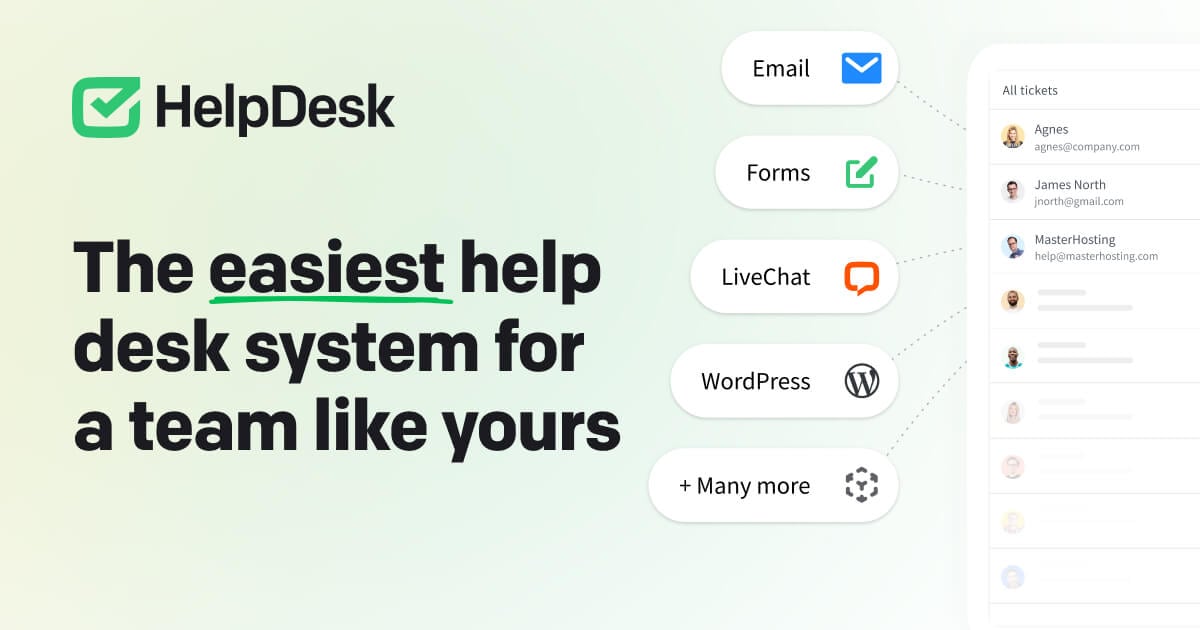
HelpDesk product interface.
HelpDesk by Text is the most straightforward of the three. It centralizes customer communication from email, live chat, Messenger, and SMS into one smart inbox, then uses AI to speed up ticket handling and response times.
Key Strengths
Fast setup and simple workflow. HelpDesk is designed for teams that need a working help desk quickly. The 14-day free trial requires no credit card, and pricing starts at $19 per user per month, making it accessible for small teams and growing businesses.
AI-empowered ticketing. The platform uses AI to categorize, prioritize, and route tickets automatically. HelpDesk claims teams can handle 10x more support cases and achieve 60% quicker response times through automation.
Team collaboration tools. Shared inboxes, internal notes, and assignment features help distributed teams stay coordinated without complex configurations.
Ecommerce and SaaS integrations. Native integrations with Shopify, WordPress, and Webflow make HelpDesk a practical choice for online stores and content-driven businesses that need support embedded in their existing stack.
Strong adoption signal. HelpDesk reports over 35,000 brands using the platform, with SOC2 compliance and 24/7/365 support.
Where HelpDesk Fits Best
HelpDesk is ideal for teams that need a reliable, affordable ticketing system without the complexity of a full CRM or enterprise AI platform. It fits small-to-midsize teams, SaaS companies, and ecommerce stores that want faster response times and cleaner ticket management without a lengthy implementation.
Head-to-Head: Choosing the Right Platform
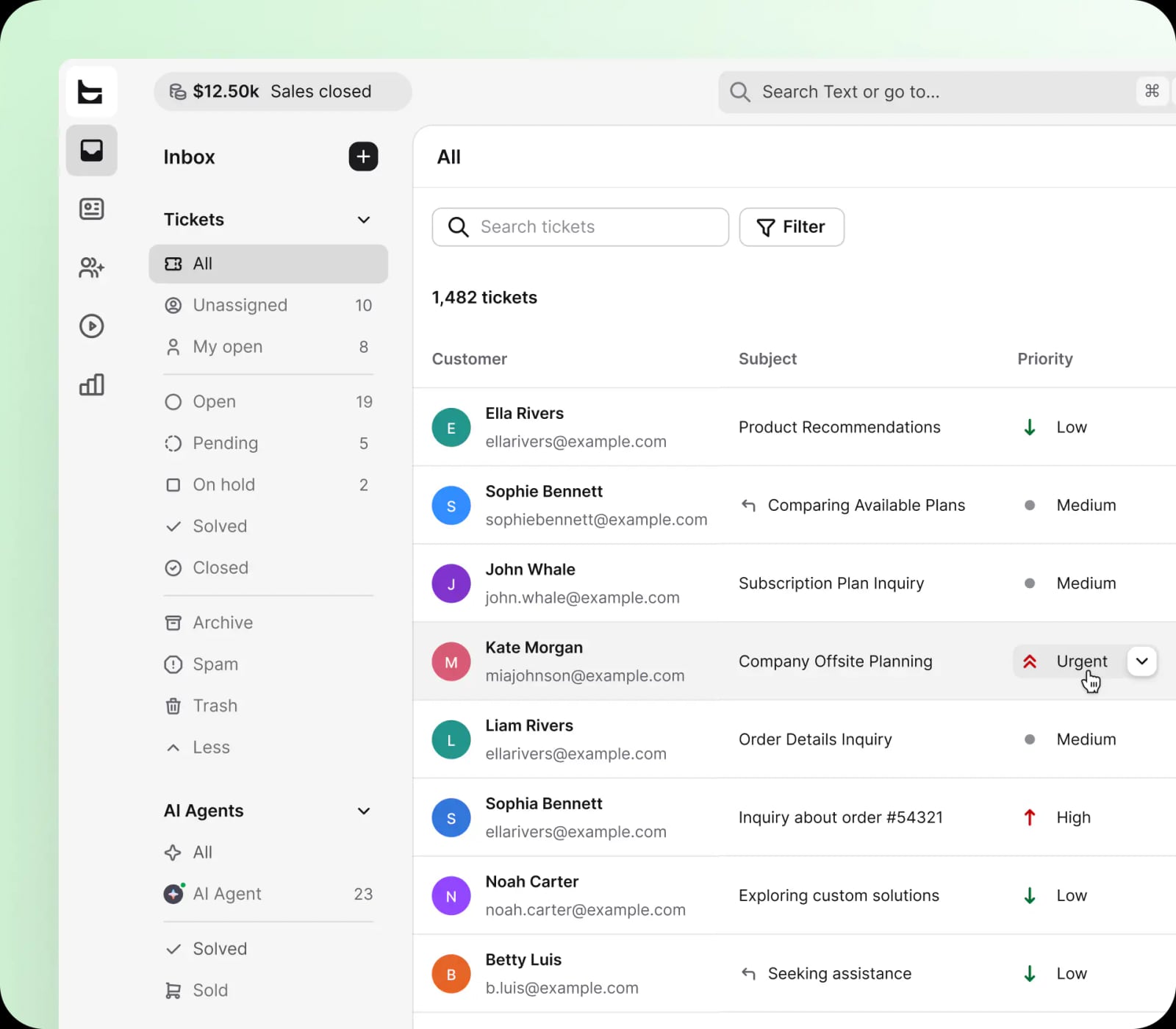
HelpDesk ticket inbox showing AI-assisted support with 1,482 tickets, priority filtering, and multichannel views.
AI Automation Depth
HelpKnow AI and Kustomer both offer deep AI automation, but they approach it differently. HelpKnow AI builds agents that resolve queries directly from your knowledge base and product data, with a reported 95% automatic resolution rate. Kustomer layers AI across the entire CRM, using customer context to personalize automated responses and agent suggestions. HelpDesk focuses AI on ticketing efficiency: categorization, routing, and faster responses rather than full conversational automation.
Choose HelpKnow AI if your primary goal is deflecting high volumes of knowledge-based questions with minimal human involvement. Choose Kustomer if you want AI to enhance personalized, relationship-driven support. Choose HelpDesk if you want AI to make your existing ticket workflow faster without replacing it.
CRM and Customer Context
Kustomer is the clear leader here. Its customer timeline and CRM foundation mean every interaction includes full history, order data, and loyalty information. HelpKnow AI provides context through its knowledge base and tool integrations, but it is not a full CRM. HelpDesk offers basic customer profiles tied to tickets, but not relationship management.
Choose Kustomer if customer history and personalization are central to your support strategy.
Omnichannel Reach
Kustomer offers the broadest channel coverage, including voice, WhatsApp, Facebook, and Instagram. HelpDesk covers email, live chat, Messenger, and SMS. HelpKnow AI integrates across desktops, websites, and social media, with a focus on web-based and ecommerce interactions.
Choose Kustomer for the widest social and messaging reach. Choose HelpDesk for a focused set of core channels. Choose HelpKnow AI if your primary channels are web, desktop, and ecommerce platforms.
Ease of Implementation
HelpDesk is the fastest to deploy, with a simple shared inbox model and a no-credit-card trial. HelpKnow AI requires knowledge base setup and agent configuration, but its document upload and plugin system streamline the process for enterprises. Kustomer's CRM foundation means more configuration upfront, but it delivers deeper context once implemented.
Choose HelpDesk for speed. Choose HelpKnow AI for a balance of automation power and manageable setup. Choose Kustomer when you are ready to invest in a full CRM-driven support transformation.
Pricing and Scalability
HelpDesk starts at $19 per user per month, making it the most budget-friendly entry point. Kustomer offers flexible seat-based or usage-based plans with Enterprise and Ultimate tiers. HelpKnow AI uses a points-based consumption model, charging only when the AI actively helps the business, which can align costs with actual automation value.
Choose HelpDesk for predictable per-user pricing. Choose Kustomer for flexible scaling across teams. Choose HelpKnow AI if you want costs tied directly to AI usage and resolution volume.
Practical Decision Guide
Pick HelpKnow AI if:
- You handle high volumes of repetitive, knowledge-based inquiries.
- You need multilingual agents configured by region or business unit.
- You want AI to resolve 90%+ of queries automatically with human escalation for the rest.
- You run ecommerce operations on Shopify, BigCommerce, or Shoplazza and want AI to check orders and recommend products.
- You need GDPR, CCPA, and global compliance for enterprise data.
Pick Kustomer if:
- Customer relationships, order history, and loyalty data drive your support quality.
- You need omnichannel messaging across chat, email, voice, WhatsApp, Facebook, and Instagram.
- You want AI that assists agents with summaries and suggested responses, not just customer-facing bots.
- You serve B2C or B2B brands where personalization directly impacts revenue.
Pick HelpDesk if:
- You need a simple, affordable ticketing system that works within days.
- Your team communicates primarily through email, live chat, Messenger, and SMS.
- You want AI to speed up ticket routing and responses without replacing your workflow.
- You run a small-to-midsize team or a growing ecommerce store on Shopify or WordPress.
Related reading
- IBM watsonx Review 2026: Features, Pricing, and Real User Verdict - In-depth IBM watsonx review covering core components, real user feedback, strengths, limitations, pricing signals, and who should choose watsonx in 2026.
Sources and further reading
- What is HelpKnow.ai?- - HelpKnow is an enterprise-level intelligent knowledge and customer service automation platform that helps businesses quickly build, deploy, and continuously optimize AI agents, enabling AI to not only answer qu
- Ticketing systems choice : r/ITManagers - Reddit - Nov 19, 2022 ... My only big word of advice is to keep it either external or internal support, not both. I implemented Freshdesk for external customer support ...
- AI Service Desk Automation Guide for 2025 | IT Support Agents - AI service desk automation - challenges, benefits, and practical ideas for streamlining IT support with ticketing, self-service portals, and AI workflows.
Frequently Asked Questions
Is HelpKnow AI a CRM like Kustomer?
No. HelpKnow AI is an enterprise AI agent platform that integrates with existing systems and knowledge bases. It provides customer context through tool integrations and conversation history, but it is not a full CRM. Kustomer is a CRM-first platform where every support interaction draws on complete customer history, orders, and loyalty data.
Which platform offers the best AI automation?
It depends on your goal. HelpKnow AI reports a 95% automatic problem resolution rate by building agents that answer directly from your knowledge base and product data. Kustomer's AI suite automates customer conversations, agent assistance, and platform-wide workflows using CRM context. HelpDesk uses AI primarily for ticket categorization, routing, and faster responses.
How does pricing compare?
HelpDesk starts at $19 per user per month with a free 14-day trial. Kustomer offers seat-based or usage-based plans with Enterprise and Ultimate tiers. HelpKnow AI uses a points-based consumption model, so costs scale with actual AI usage rather than a fixed per-seat rate.
Can I try these platforms before buying?
HelpDesk offers a 14-day free trial with no credit card required. Kustomer and HelpKnow AI typically require a demo or sales conversation for enterprise plans, though both offer onboarding support for evaluation.
Which platform is best for ecommerce?
All three support ecommerce, but in different ways. HelpKnow AI offers direct plugins for Shopify, BigCommerce, and Shoplazza, enabling AI agents to check orders and recommend products. Kustomer provides deep customer context for personalized shopping support. HelpDesk integrates with Shopify and WordPress for ticket management. Your choice depends on whether you need AI-driven order lookups, relationship-driven support, or simple ticket handling.
What about integrations with existing tools?
HelpKnow AI integrates with ecommerce platforms and supports custom API tools through its plugin system. Kustomer offers a wide range of integrations through its CRM ecosystem. HelpDesk provides native integrations with Shopify, WordPress, Webflow, and other popular tools. For automation workflows, teams can also connect HelpKnow AI with platforms like n8n; see this complete integration guide.
Conclusion
HelpKnow AI, Kustomer, and HelpDesk solve different problems, and the best choice depends on what your support operation needs most.
HelpKnow AI is the strongest option for enterprises that want to automate a large share of knowledge-based inquiries with AI agents that learn from their own documentation and product data. Its 95% resolution rate and 70% cost reduction claims make it compelling for high-volume, multilingual, ecommerce-heavy environments.
Kustomer is the best fit for brands where customer relationships drive revenue. Its CRM foundation, broad omnichannel reach, and layered AI suite make it powerful for personalized, context-rich support at scale.
HelpDesk is the practical choice for teams that need fast, affordable ticketing with AI-assisted efficiency. It won't replace your entire support stack, but it will make your existing workflow significantly faster.
If you are still evaluating alternatives, compare HelpKnow AI against other platforms like Udesk in this head-to-head analysis, or read this in-depth Udesk review for additional context on the AI customer service landscape.