
Top 10 AI-Powered Team Collaboration and Work Management Platforms for 2026
AI has moved from a novelty to a default expectation in team software. The platforms below were selected because they genuinely embed AI into collaboration and work management workflows — not because they added a chatbot to their marketing page. Each entry includes evidence of real AI capability, a clear best-fit team profile, and honest trade-offs.
This review is written for operations leaders, IT buyers, and team managers who need to compare platforms on substance rather than slogans. If your evaluation also touches customer-facing AI support workflows, you may find it useful to see how HelpKnow AI compares with Help Scout and Retell AI for enterprise support teams — a complementary category, not a replacement for the collaboration platforms ranked here.
How We Evaluated These Platforms
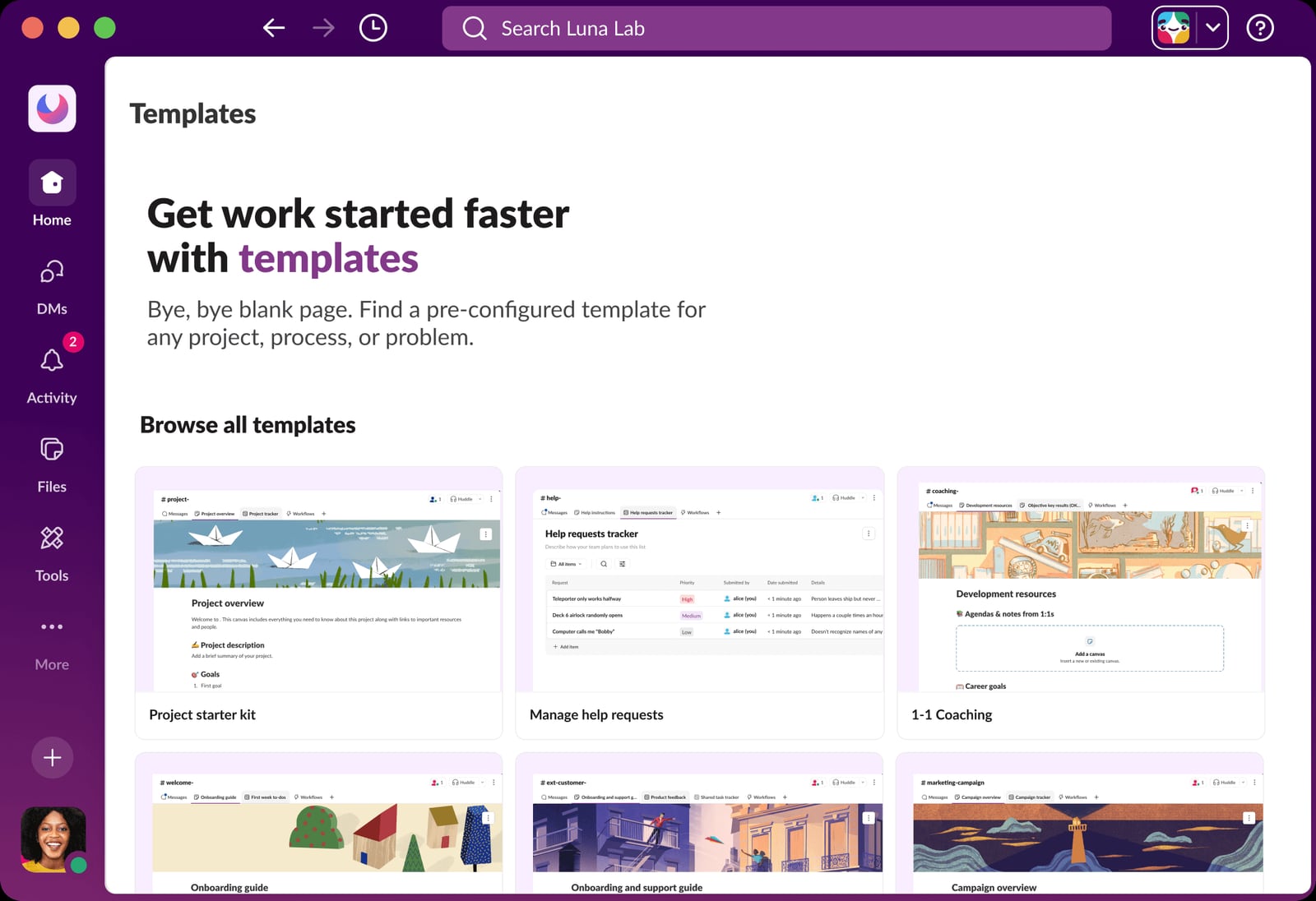
Slack UI shows various workflow templates..
We scored each product against six criteria drawn from the evaluation patterns used across credible 2026 comparisons:
- AI depth and integration: Is AI embedded in the core workflow, or bolted on as a separate feature?
- Workflow coverage: Does the platform handle communication, tasks, documents, and automation in one place?
- Context retention: Can the AI remember decisions, files, and conversations across sessions?
- Integrations and ecosystem: How well does it connect to the rest of the team's stack?
- Security and compliance: Are SOC 2, GDPR, HIPAA, and enterprise controls documented?
- Adoption and usability: Can a non-technical team member use the AI features without prompt engineering?
We also looked for publicly available evidence — vendor documentation, independent research, and reported outcomes — rather than relying on feature lists alone.
The Top 10 Platforms for 2026
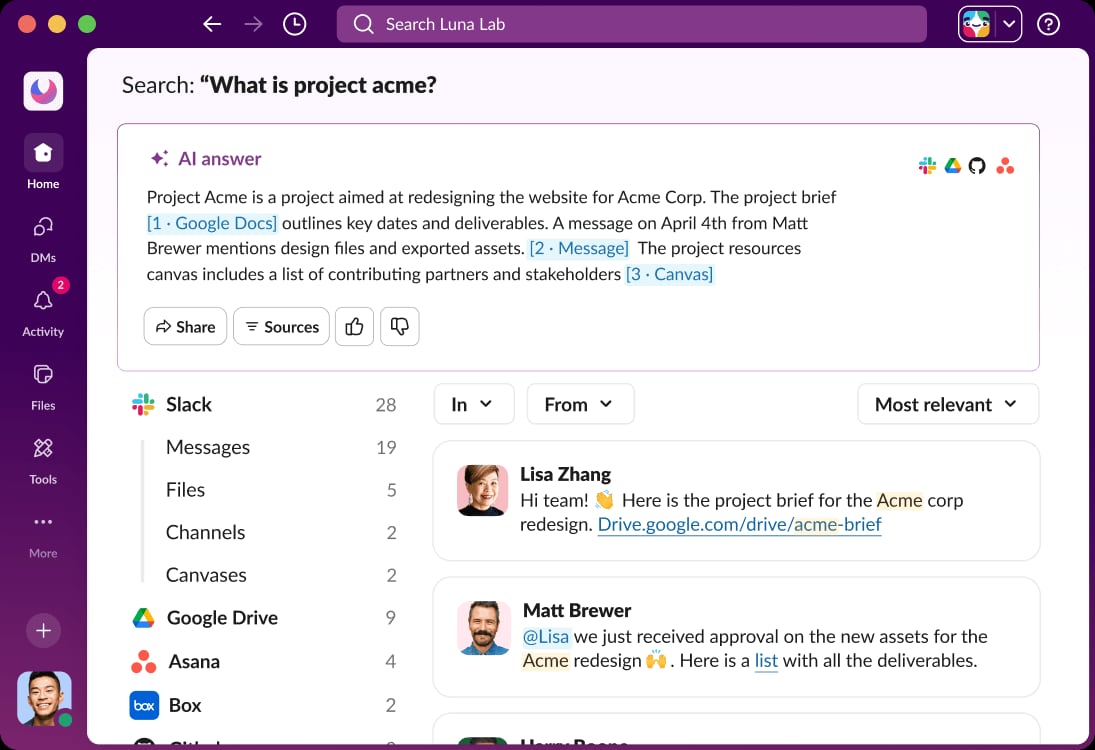
Slack UI displays an AI answer to a search query..
1. Slack
Category: AI work platform and communication hub
Best for: Teams that want AI woven into messaging, huddles, and app workflows
Slack is positioned as an AI work platform that connects people, apps, and AI agents in one place. Its channel-based messaging, huddles, file sharing, and integration with more than 2,600 apps in the Slack App Directory make it a central hub for many organizations. Slackbot acts as a personalized, context-aware AI agent that provides conversation summaries, AI search, daily recaps, file summaries, and workflow generation. Newer capabilities include Slackforce Surfaces for turning data into action, Slackbot Skills for task automation, Slack Code for collaborative development with AI agents, and Slack CRM for conversational sales pipeline management.
Evidence: Slack cites a Forrester study reporting 338% ROI and $2.1 million in productivity savings over three years, with 85% of users saying Slack improved communication and 69% depending on it to get work done. The platform is available on desktop, web, iOS, Android, Mac, Windows, and Linux, with a free plan offering 90 days of message history and up to 10 apps.
Trade-offs: Slack is strongest as a communication and coordination layer. For deep project portfolio management or resource planning, teams often pair it with a dedicated work management tool. Its AI features are most valuable in high-volume messaging environments where context is easily lost.
2. Notion
Category: Docs, knowledge management, and lightweight project management
Best for: Teams centralizing knowledge and documentation with AI assistance
Notion combines docs, wikis, databases, and project tracking in one flexible workspace. Notion AI is embedded directly in pages and databases, so drafting, rewriting, summarizing, and action-item extraction happen where the content already lives. AI properties and templates help enforce consistent documentation at scale.
Evidence: Notion AI is consistently cited in 2026 collaboration tool roundups for its ability to summarize long notes, generate first drafts, and turn raw meeting notes into structured pages. Its API connects to development and CRM stacks, and enterprise security controls are documented.
Trade-offs: Heavy AI use on large workspaces can require higher-tier plans. Teams with complex, cross-functional project portfolios may outgrow Notion's lightweight project management features.
3. Asana
Category: AI-powered work management
Best for: Complex, cross-team project portfolios
Asana is a work management platform that uses AI to predict project risks and suggest next steps. Its rules and AI automation help teams reduce manual status updates and route work more intelligently. Asana AI is designed for organizations managing many interdependent projects across departments.
Evidence: Asana appears in multiple 2026 comparisons as a full project management platform with enterprise-grade governance and a large integration ecosystem. Reviewers highlight its risk prediction and next-step suggestions as differentiators for portfolio-level work.
Trade-offs: Asana does not offer native real-time voice or video communication, so teams that need meetings and calls in the same tool will need to integrate a separate platform.
4. monday.com
Category: Work management and workflow automation
Best for: Agile teams building custom workflows quickly
monday.com lets teams generate boards and automations from prompts, making it fast to stand up new workflows. It is popular with Agile and sprint-based teams that want customizable templates and Kanban-style boards. AI features help with project management, team communication, and workflow customization.
Evidence: monday.com is regularly listed among the top work management platforms in 2026, with reviewers noting its strength in custom templates and Agile workflows. Pricing starts at a per-seat level with custom enterprise options.
Trade-offs: Some users find monday.com more complicated than simpler tools, and its per-seat pricing can scale quickly for larger teams.
5. ClickUp
Category: All-in-one productivity and work management
Best for: Teams that want many features in one workspace
ClickUp Brain answers questions across tasks and docs, helping teams find information without switching tools. The platform combines tasks, docs, goals, and chat in a single workspace, with AI features designed to reduce context switching.
Evidence: ClickUp is frequently included in 2026 AI collaboration tool lists for its all-in-one approach and AI assistant that works across the workspace. Its broad feature set appeals to teams replacing multiple point solutions.
Trade-offs: The breadth of features can be overwhelming during onboarding. Teams should plan for configuration time and internal training.
6. Microsoft Teams
Category: Enterprise communication and collaboration
Best for: Organizations already invested in the Microsoft ecosystem
Microsoft Teams provides team chat, video meetings, file sharing, and templates, with AI capabilities integrated through Microsoft 365. For organizations using Microsoft 365, Teams offers a familiar environment with enterprise security and compliance controls.
Evidence: Teams appears in 2026 collaboration tool comparisons as a secure communication platform with deep Microsoft 365 integration. Its AI features are tied to the broader Microsoft Copilot ecosystem.
Trade-offs: The experience is strongest within the Microsoft ecosystem. Teams using Google Workspace or a mix of productivity suites may find integration less seamless.
7. Zoom Workplace
Category: Meetings and communication with AI companion
Best for: Hybrid meetings and virtual workshops
Zoom Workplace includes AI Companion for meeting summaries and action items, making it a strong fit for teams that live in scheduled video calls. It handles high-definition video meetings, screen sharing, and webinars, with AI features that reduce manual note-taking.
Evidence: Zoom Workplace is cited in 2026 roundups for its AI meeting summaries and action-item detection. Pricing ranges from a free tier to paid plans with custom enterprise options.
Trade-offs: Zoom is primarily a meetings and communication tool. Teams needing task management or documentation will need to integrate additional platforms.
8. Miro
Category: Visual collaboration and whiteboarding
Best for: Research synthesis, workshops, and strategy sessions
Miro is an online visual collaboration platform built around an infinite digital whiteboard. Miro AI clusters sticky notes, generates diagrams, and summarizes complex boards, which speeds up affinity mapping and post-workshop cleanup.
Evidence: Miro is consistently listed among the best AI collaboration tools for visual work in 2026. Its AI works natively on the board, so teams do not need to export content to a separate tool.
Trade-offs: AI clustering and summaries still need human review for nuanced research or sensitive decisions. Performance can slow on very large boards, and heavy AI use may require higher-tier plans.
9. Fireflies.ai
Category: AI meeting assistant and conversation intelligence
Best for: Teams that need searchable transcripts and automated follow-ups
Fireflies.ai joins live meetings as an assistant, stores transcripts and audio, and automates notes and follow-ups. It integrates broadly with work tools and supports SOC 2 and GDPR compliance.
Evidence: Fireflies.ai appears in 2026 collaboration tool comparisons as a dedicated meeting AI with broad integration coverage. It is often used alongside a primary communication platform rather than as a replacement.
Trade-offs: Fireflies.ai does not provide native task or project management. Its outputs typically feed into other tools, so teams need a clear workflow for acting on meeting insights.
10. Otter.ai
Category: Meeting notes and transcription
Best for: Teams that want real-time transcription with action-item detection
Otter.ai acts as a meeting participant, stores transcripts and recordings, and automates summaries and follow-ups. It is designed for teams that spend significant time in scheduled video calls and need reliable notes without manual effort.
Evidence: Otter.ai is regularly included in 2026 AI collaboration tool lists for its real-time transcription and action-item detection. It integrates with common work tools and emphasizes privacy-forward security.
Trade-offs: Otter.ai is not a project management or work management platform. It is best used as a complement to a broader collaboration suite.
Comparison: Which Platform Fits Your Team?
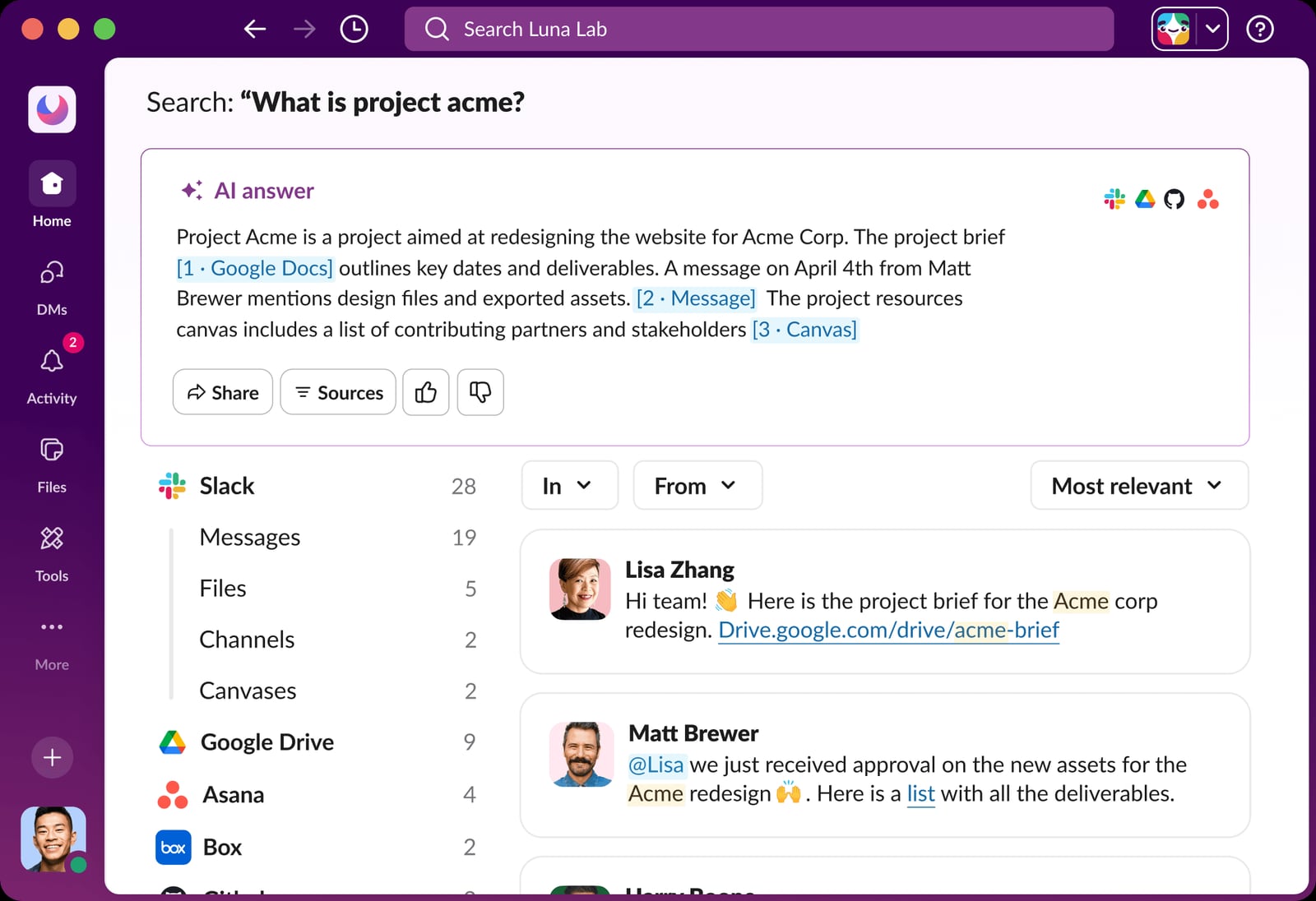
Slack UI displays an AI answer to a search query..
| Platform | Primary Strength | Best Team Profile | Watch Out For |
|---|---|---|---|
| Slack | Communication and AI agents | High-volume messaging teams | Needs pairing for deep project management |
| Notion | Docs and knowledge | Documentation-heavy teams | Lightweight project management |
| Asana | Project portfolios | Cross-team project managers | No native voice or video |
| monday.com | Custom workflows | Agile and sprint teams | Complexity and per-seat cost |
| ClickUp | All-in-one workspace | Teams replacing multiple tools | Onboarding overhead |
| Microsoft Teams | Enterprise communication | Microsoft 365 organizations | Ecosystem lock-in |
| Zoom Workplace | Meetings and AI summaries | Hybrid and remote meeting teams | Limited task management |
| Miro | Visual collaboration | Workshops and research teams | Human review still required |
| Fireflies.ai | Meeting intelligence | Teams needing searchable transcripts | No native task management |
| Otter.ai | Transcription and notes | Meeting-heavy teams | Not a work management platform |
How to Choose in 2026
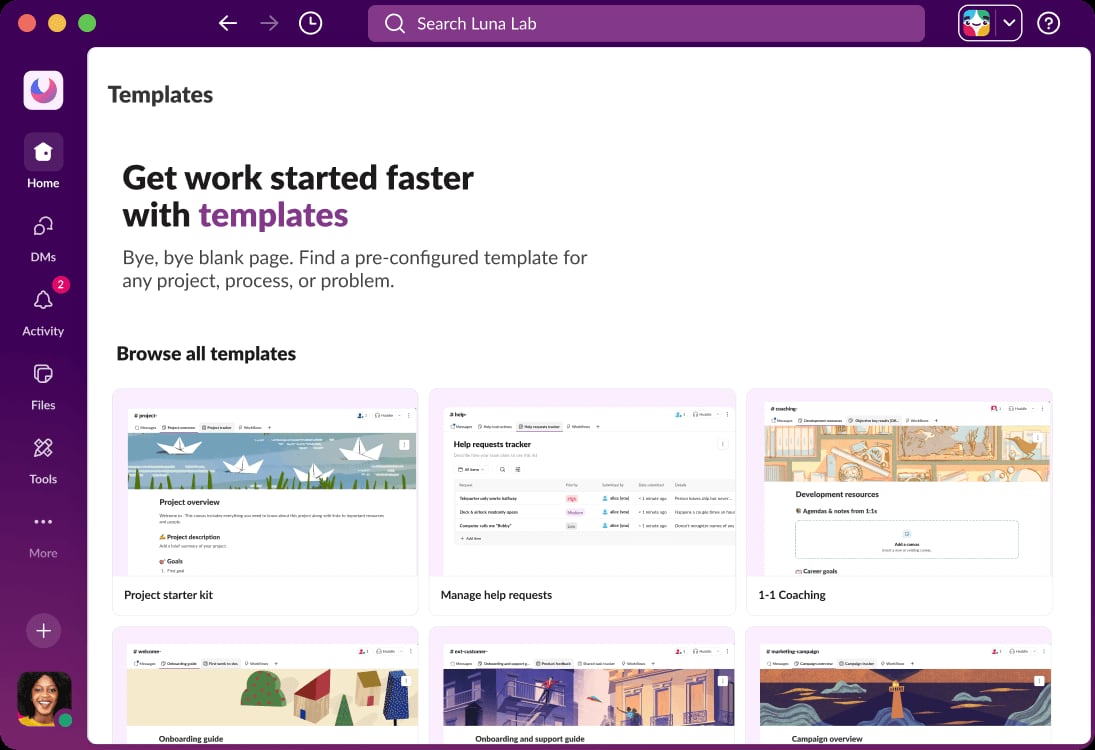
Slack UI shows various workflow templates..
Start with where your team's work actually happens. If most coordination happens in chat, a communication-first platform like Slack will deliver the fastest AI value. If work is organized around projects and deadlines, a work management platform like Asana or monday.com is a better anchor. If meetings are the primary source of decisions, a meeting AI like Fireflies.ai or Otter.ai can complement your existing stack.
Also consider the adjacent customer-facing workflow. Teams that manage both internal collaboration and external customer support may need a separate AI support platform. For example, HelpKnow AI compared with CoSupport AI covers enterprise AI support resolution and compliance — a different problem from internal team collaboration, but one that often sits alongside it in operations planning.
Finally, test AI features with real workflows before committing. The most common failure mode is adopting a platform for its AI branding and then discovering the AI does not fit how the team actually works.
Related reading
- HelpKnow AI vs Help Scout vs Retell AI: 2026 Comparison - Compare HelpKnow AI, Help Scout, and Retell AI on AI resolution, deployment, omnichannel support, analytics, and compliance for enterprise support teams.
- HelpKnow AI vs CoSupport AI: Enterprise AI Support Compared - HelpKnow AI vs CoSupport AI compared on AI resolution, deployment, omnichannel support, analytics, and compliance for enterprise support teams.
- HelpKnow AI vs IBM watsonx vs Richpanel: 2026 Comparison - Compare HelpKnow AI, IBM watsonx, and Richpanel on AI resolution, deployment effort, omnichannel support, analytics, and compliance for enterprise support.
Sources and further reading
- 10 Best AI Collaboration Tools for Teams in 2026 - Compare the 10 best AI collaboration tools of 2026 — AI memory, project management, and meeting AI — with features, pros, cons, and how to choose.
- Top 10 AI collaboration tools for fast-growing teams - Compare the best AI collaboration tools for team coordination. Discover how AI reduces meeting overload, context loss, manual follow-ups, and tool sprawl.
- The Best 20 Collaboration Tools for Teams in 2026: Compare at a Glance - Searching for the best collaboration tools for teams in 2026? Check out our shortlist of 20 different software solutions, including pros, cons, and more.
Frequently Asked Questions
What is the best AI-powered team collaboration platform in 2026?
There is no single best platform. Slack leads for communication-centric teams, Notion for documentation, Asana and monday.com for project management, and Zoom Workplace for meeting-heavy organizations. The right choice depends on where your team's work happens.
Do AI collaboration tools replace project management software?
Not always. Some platforms, like Asana, monday.com, and ClickUp, combine both. Others, like Slack and Zoom Workplace, are strongest in communication and meetings, and are often paired with a dedicated work management tool.
How should I evaluate AI features in collaboration software?
Look for AI that is embedded in the core workflow, retains context across sessions, integrates with your existing tools, and includes documented security and compliance controls. Avoid platforms where AI is a standalone feature disconnected from daily work.
Are these platforms suitable for enterprise teams?
Most of the platforms listed offer enterprise plans with advanced security, compliance, and administrative controls. Microsoft Teams, Slack, Asana, and monday.com are commonly used in enterprise environments.
How does AI customer support software fit into this comparison?
AI customer support platforms are a separate category from internal team collaboration. They focus on resolving customer queries, while collaboration platforms focus on internal coordination. Some organizations evaluate both at the same time; for example, HelpKnow AI compared with Talkdesk covers enterprise AI support resolution and omnichannel handling.
Conclusion
The 2026 market for AI-powered team collaboration and work management platforms is mature enough that buyers can demand evidence, not just promises. Slack, Notion, Asana, monday.com, ClickUp, Microsoft Teams, Zoom Workplace, Miro, Fireflies.ai, and Otter.ai each bring credible AI capabilities to a specific part of the collaboration workflow.
The most effective strategy is to anchor your stack on the platform that matches your team's primary work pattern, then add complementary tools for meetings, visual collaboration, or customer-facing AI support where needed. Evaluate with real workflows, check security documentation, and prioritize platforms where AI reduces context loss rather than adding another layer of it.