
Slack Review 2026: Features, Pricing, and Verdict
Slack has been a fixture in workplace communication for over a decade, and in 2026 it remains one of the most recognizable names in team collaboration. But recognition is not the same as fit. After testing Slack's current plans, AI capabilities, and everyday workflows, this review separates what Slack does exceptionally well from where it creates friction — and who should actually pay for it.
Slack is an AI-powered work platform that connects teams, tools, and agents in one place. It offers channels for organized communication, huddles for live audio and video, clips for asynchronous updates, and Slack Connect for secure collaboration with external partners. Recent AI additions include conversation summaries, recaps, note-taking, and a conversational CRM through Slackbot that can update pipelines and automate workflows. The platform reports a 37% productivity increase among teams using huddles, a 51% reduction in scheduled meetings with clips, and 4x faster deal cycles with Slack Connect.
Those numbers sound compelling. The real question is whether Slack's premium pricing justifies those outcomes for your organization.
Who Is Slack For?

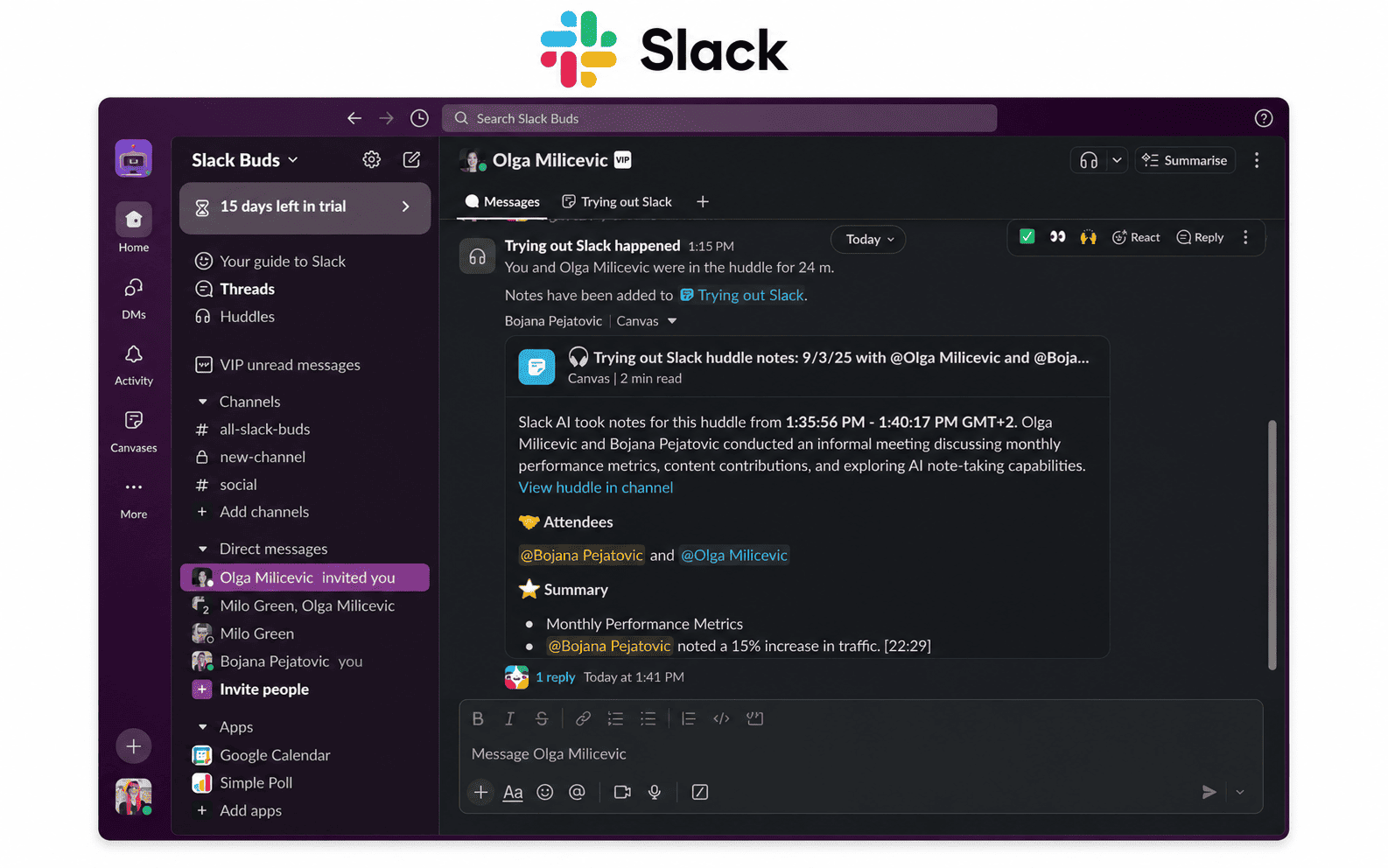
Slack product interface.
Slack works best for organizations that meet several criteria:
- Teams with distributed or hybrid workforces that need a central, searchable communication hub
- Organizations that rely on many third-party tools and want to act on them without switching tabs
- Companies with budget flexibility that can absorb per-user pricing at scale
- Teams that value asynchronous communication and want to reduce scheduled meetings
- Businesses that collaborate heavily with external partners or clients through Slack Connect
Slack is less ideal for very small teams on tight budgets, organizations already deeply embedded in Microsoft 365, or groups that only need basic messaging without workflow automation.
Slack's Core Strengths

Slack product interface.
An Interface That Feels Fast and Friendly
Slack's design remains one of its strongest assets. The default purple theme is distinctive, and you can switch colors, fonts, and enable dark mode quickly. The main window keeps channels and direct messages in a customizable left sidebar while conversation content fills the remaining space. During testing, the app felt responsive across desktop, web, and mobile — no lag when switching channels, starting huddles, or sharing files.
Setup takes minutes. You create a workspace, send invites, and start collaborating. Adding new users is straightforward, unlike some competitors that require navigating admin settings first. Slack also provides accessible documentation that avoids the enterprise-heavy tone found in some alternatives.
Channels, Threads, and Messaging Conventions
Slack popularized several messaging conventions that now feel standard: threads that pull conversations into a separate view, emoji reactions, polls, @mentions, pinned messages, and scheduled sends. You can schedule a message for "tomorrow at 9 a.m." or a custom time, set reminders, and forward messages with a tap-and-hold on mobile.
Channels create focused spaces for projects, teams, or topics. Slack includes roughly 55 templates for creating channels with relevant documents pre-loaded — useful for campaign planning, project management, or onboarding. Posting permissions are limited to the #general channel on the free plan, but paid tiers unlock granular control across all channels.
Huddles and Clips for Flexible Communication
Huddles are Slack's lightweight audio and video meetings. Starting one takes a single click — hover over a name, click the Huddle button, or open a channel and click the headset icon. Video is off by default, which encourages quick voice check-ins rather than formal meetings. Audio and video quality were consistently strong in testing.
Clips extend this flexibility with asynchronous video messages. Team members can record short updates, screen shares, or walkthroughs that others watch on their own schedule. This directly supports Slack's reported 51% reduction in scheduled meetings among teams using clips.
AI Features That Save Real Time
Slack's AI capabilities are split across plans. The Pro tier includes AI-generated summaries of channels and threads, plus action items, key takeaways, and meeting transcripts. Business+ adds more advanced features: natural language search across conversations and files, workflow generation from chat discussions, file summaries, and a daily digest of channel activity.
In practice, the summarization features are genuinely useful. Coming back to a long thread about a project, one click shows what the team discussed without scrolling through dozens of messages. The daily digest on Business+ helps you catch up on channels you follow less closely.
Slack Connect for External Collaboration
Slack Connect lets you create shared channels with external partners, clients, or vendors. Instead of email chains or separate guest accounts, both organizations work in the same channel with clear boundaries. Slack reports 4x faster deal cycles for teams using this feature, and it's one of the strongest reasons to choose Slack over simpler messaging tools.
Integrations and the Salesforce Ecosystem
Slack's marketplace includes thousands of app integrations. The Salesforce connection is particularly deep: Slackbot can act as a conversational CRM, updating pipelines, managing customer records, and automating workflows without leaving the chat interface. For Salesforce customers, this integration alone may justify Slack's cost.
Where Slack Falls Short
Slack Review 2026: Features, Pricing, and Verdict - Where Slack Falls Short.
Pricing That Adds Up Quickly
Slack's free plan is generous for small groups — unlimited users, 90 days of message history, 1:1 huddles, and up to 10 integrations. But the limitations become apparent fast: no group video calls, no workflows, no customer support, and no channel posting permissions beyond #general.
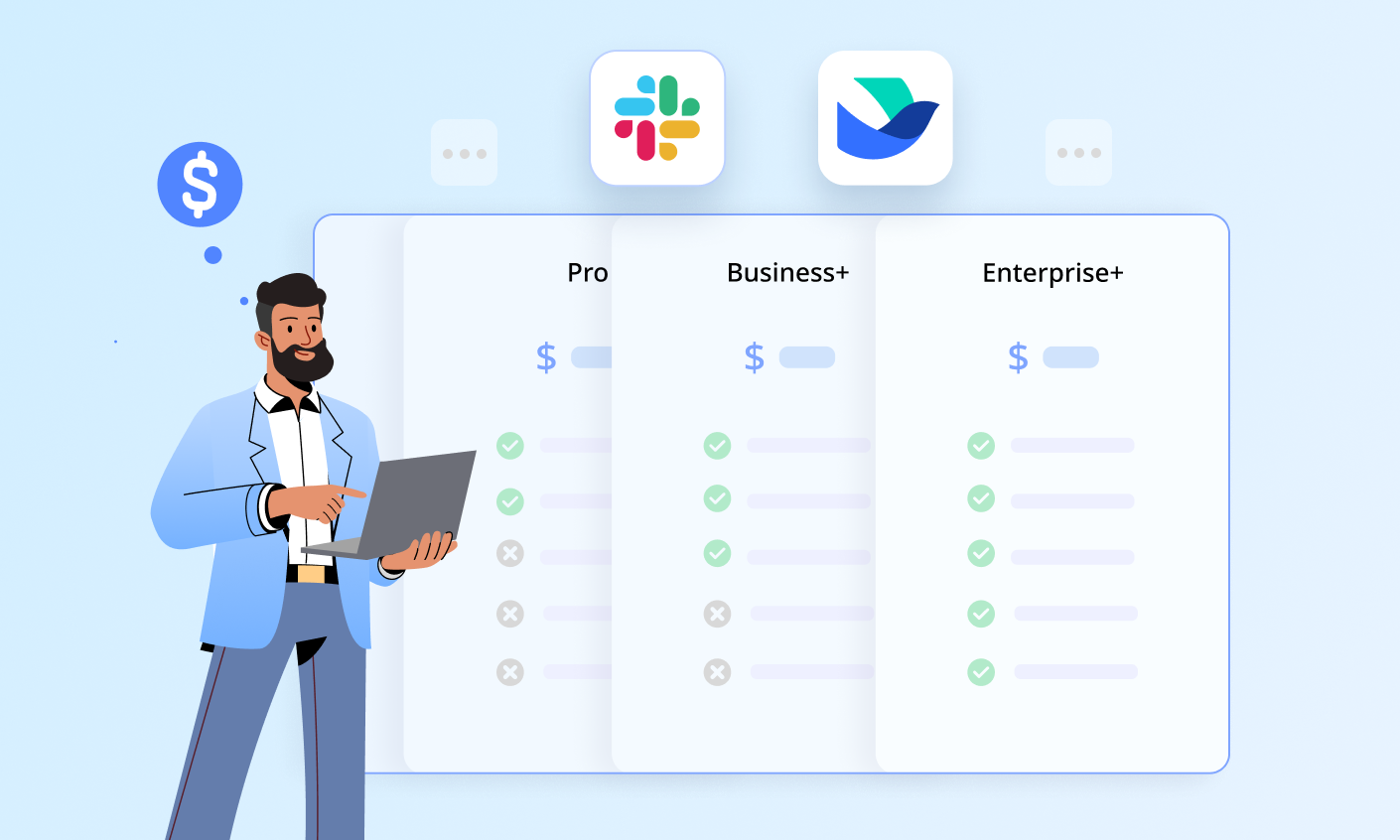
The Pro plan costs $8.75 per user per month billed annually (or $7.25 in some reported pricing), which unlocks unlimited message history, group huddles, AI summaries, canvases, and external messages. Business+ jumps to $15 per user per month billed annually, adding advanced AI features, all-channel posting permissions, and a four-hour customer service response guarantee. Enterprise+ requires contacting sales.
For a 50-person team, Business+ costs $9,000 per year. That's a significant line item, especially when competitors like Microsoft Teams bundle communication with office apps at a lower effective cost for Microsoft 365 subscribers.
Notification Overload Remains a Challenge
Slack's speed and constant connectivity can become overwhelming. Notifications pile up across channels, threads, and direct messages. Slack has added scheduling controls for notifications and granular triggers for keywords and mentions, but the default experience still trends toward interruption. Teams need deliberate notification hygiene to avoid burnout.
Canvases Have Limitations
Canvases — Slack's collaborative document spaces — are useful for organizing information too long for a message. You can create rich text content, embed media, and share with specific permissions. However, you cannot export documents from canvases, which limits their usefulness for formal documentation. Deleted canvases are unrecoverable after 24 hours, and editing permissions default to open for all channel members when a new canvas is created — a surprising default for a tool handling important information.
Interface Complexity Grows Over Time
Slack starts simple but becomes harder to manage as channels, integrations, and conversations multiply. The left sidebar can feel crowded, and finding older information requires good search habits. While Slack's search is powerful, the organizational burden falls on the team to maintain channel structure and naming conventions.
Slack Pricing at a Glance
Slack Review 2026: Features, Pricing, and Verdict - Slack Pricing at a Glance.
| Plan | Price (per user/month, billed annually) | Key Features |
|---|---|---|
| Free | $0 | Unlimited users, 90-day history, 1:1 huddles, 10 integrations |
| Pro | $8.75 | Unlimited history, group huddles, AI summaries, canvases, external messages |
| Business+ | $15 | Advanced AI, all-channel permissions, daily digests, 4-hour support response |
| Enterprise+ | Custom | Slack Atlas, additional AI and security features |
Pricing signals are clear: Slack positions Pro as the entry point for serious teams and Business+ as the tier where AI becomes genuinely useful. If you only need basic messaging, the free plan works. If you want AI summaries and unlimited history, Pro is the minimum. If you want workflow automation and natural language search, Business+ is the target.
Slack vs. Microsoft Teams
The Slack versus Teams decision comes down to ecosystem and priorities. Microsoft Teams offers a more structured approach with teams and channels organized by department, plus deeper videoconferencing features like webinars and car mode. Teams also becomes a better value if you already pay for Microsoft 365 Business Standard, which bundles Teams with Office apps.
Slack counters with a more intuitive interface, faster setup, and a lighter feel. Its AI features are included in Pro and Business+ tiers, while Microsoft requires separate Copilot and Teams Premium add-ons that can push costs higher. Slack's integration ecosystem is broader, and Slack Connect offers a cleaner external collaboration experience than Teams' guest access.
For organizations already committed to Microsoft 365, Teams is the pragmatic choice. For everyone else — especially Salesforce customers, remote-first teams, and groups that value ease of use — Slack remains the stronger option.
Setup and Onboarding
Getting started with Slack takes under 10 minutes:
- Create a workspace with your organization's name and email domain
- Invite team members via email or shareable link
- Create channels for teams, projects, or topics — use templates to speed this up
- Connect integrations from the Slack marketplace
- Set notification preferences and channel permissions before the workspace grows
Slack's documentation is approachable, and the app guides new users through core actions. For larger deployments, plan channel taxonomy and naming conventions upfront to avoid sidebar chaos later.
Decision Criteria: Should You Choose Slack?
Choose Slack if:
- You need a communication hub that integrates with many tools
- Your team is distributed or remote-first
- You collaborate with external partners regularly
- You use Salesforce and want conversational CRM capabilities
- You value ease of use over deep administrative control
Look elsewhere if:
- You're already paying for Microsoft 365 and need basic communication
- Your budget is tight and per-user pricing at scale is prohibitive
- You need built-in document creation and export
- Your team only needs simple messaging without automation
For teams evaluating AI-powered support platforms alongside collaboration tools, comparisons like HelpKnow AI vs Enjo or HelpKnow AI vs Botpress can clarify how AI fits into your broader communication stack. If you're also assessing helpdesk solutions that integrate with Slack, reviews like HappyFox Review 2026 and Desk365 Review 2026 provide useful context on complementary tools.
Related reading
- eGain Review 2026: AI Knowledge Platform Verdict - Evidence-based eGain review covering AI knowledge management, pricing signals, setup, ideal users, limitations, and who should choose it in 2026.
Sources and further reading
- Slack Review: The Top Team Communication App for the Workplace - Slack's advanced messaging features, comprehensive integration support, variety of helpful AI tools, and welcoming interface make it the business communication app to beat.
- Slack Review 2026: An Honest Analysis by a Competitor - A 2026 Slack review with plans, features, pros, cons and limitations compared. How do Slack’s capabilities hold up in today's market?
- Slack Reviews 2026. Verified Reviews, Pros & Cons - Capterra - 8 days ago ... It's one of the best tools for day-to-day team communication and quick coordination, and it keeps work moving without a lot of friction. It does ...
Frequently Asked Questions
Is Slack free to use?
Yes. Slack's free plan includes unlimited users, 90 days of message history, 1:1 huddles, and up to 10 integrations. It works well for small teams testing the platform, but lacks group video calls, workflows, and customer support.
How much does Slack cost per user?
Slack Pro costs $8.75 per user per month billed annually. Business+ costs $15 per user per month billed annually. Enterprise+ pricing requires contacting Slack's sales team.
What is the difference between Slack Pro and Business+?
Business+ adds advanced AI features including natural language search, workflow generation from conversations, file summaries, and daily channel digests. It also unlocks posting permissions for all channels and guarantees a four-hour customer service response time.
Can Slack replace email?
For internal team communication, Slack can significantly reduce email volume. Channels, threads, and searchable history replace many internal email threads. However, Slack does not fully replace email for external communication with people outside your Slack Connect network.
Does Slack work with Salesforce?
Yes. Slack integrates deeply with Salesforce, including a conversational CRM through Slackbot that can update pipelines, manage customer records, and automate workflows without leaving the chat interface.
What are the best Slack alternatives?
Microsoft Teams is the most common alternative, especially for Microsoft 365 customers. Other options include Pumble for simpler, more affordable team communication, and Flock for budget-conscious teams. The right choice depends on your ecosystem, budget, and feature requirements.
Conclusion
Slack earns its reputation as a polished, fast, and genuinely useful team communication platform. The interface is intuitive, the AI features save real time, and Slack Connect solves external collaboration in a way few competitors match. The free plan is generous enough to test thoroughly before committing.
The main barrier is cost. At $8.75 to $15 per user per month, Slack becomes a meaningful expense for larger teams, and the most valuable AI features sit behind the Business+ tier. Organizations already paying for Microsoft 365 may find Teams a better value, while Salesforce customers and remote-first teams will likely find Slack's premium worth paying.
Slack is not the cheapest option, and it's not the simplest. But for teams that need a fast, flexible, AI-assisted communication hub that connects people, tools, and external partners, it remains one of the best choices available in 2026.