
Help Scout Review 2026: Features, Pricing, and Verdict
Help Scout has spent more than a decade positioning itself as the customer service platform for teams that want to treat people like people, not ticket numbers. That positioning still holds up in 2026. The platform combines a shared inbox, knowledge base, live chat, and a deliberately restrained set of AI tools into one interface that feels approachable for small teams but capable enough for scaling support operations.
This review is based on current product capabilities, verified customer stories, and hands-on reports from teams that have used Help Scout for years. It covers what the platform does well, where it falls short, how pricing actually works, and who should — and shouldn't — choose it.
What Is Help Scout?
Help Scout product interface.
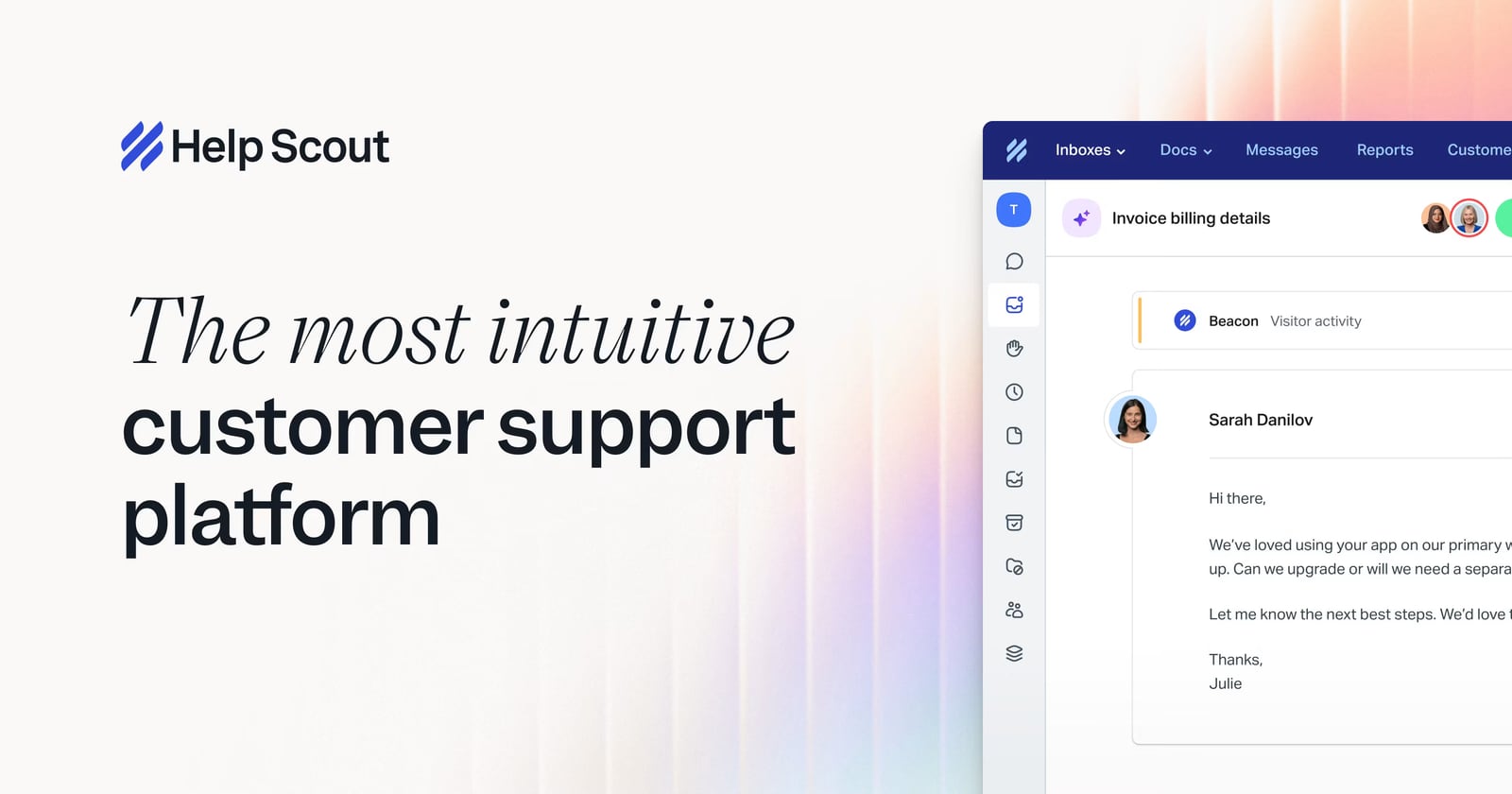
Help Scout is a cloud-based customer service platform built around a shared inbox model. Instead of forcing every customer interaction into a rigid ticketing system, it presents conversations in a familiar email-like thread. Teams can assign ownership, leave internal notes, apply tags, and collaborate without exposing the machinery to the customer.
Beyond the inbox, Help Scout includes:
- Knowledge base with no-code customization and SEO-friendly publishing
- Live chat with presence detection that only shows availability when a human is actually there
- AI Inbox assistant for summarization, tone adjustment, and drafting
- AI Answers for autonomous resolution using your knowledge base
- Workflows for automated and manual multi-step actions
- SLA policies and collision detection to keep teams organized
- 100+ integrations including Salesforce, Jira, HubSpot, Aircall, and Slack
- Messaging channels for Instagram, Messenger, and WhatsApp
The platform's core philosophy is visible in the details. Live chat, for example, automatically marks agents as away after a period of inactivity. That prevents the frustrating experience of clicking a chat widget, typing a question, and discovering nobody is actually on the other end. It's a small design decision that reflects a broader commitment to expectation matching.
Who Should Use Help Scout?

Help Scout product interface.
Help Scout is strongest for teams that prioritize personal, human-centered support over aggressive automation or enterprise-scale complexity.
Ideal Users
- Startups and small businesses that need a professional support setup without a dedicated IT team
- Growing SaaS companies that want to consolidate email, chat, and self-service into one place
- E-commerce brands that value conversational support across email and social channels
- Customer-centric service teams that want AI assistance without replacing the human touch
- Teams migrating from Gmail or Outlook that need shared visibility and accountability
Less Ideal Users
- Large enterprises with complex multi-department routing, advanced workforce management, or strict on-premise requirements may find the platform too lightweight compared to Zendesk or Genesys Cloud
- Teams that want aggressive AI-first automation where bots handle most conversations before a human is involved may prefer a platform like HelpKnow AI or Intercom
- Organizations requiring deep telephony integration as a primary channel should evaluate Five9 or similar contact center platforms
Key Features and How They Perform
Shared Inbox
The shared inbox is the heart of Help Scout and the reason many teams stay for years. Conversations arrive in a clean, threaded view that feels familiar to anyone who has used email. Team members can see who is handling what, leave internal notes, and use collision detection to avoid double replies.
One long-term user described the experience this way: when customers write in, they are not made to feel like a support ticket number in a queue. That distinction matters for brands where support quality is a competitive advantage.
Practical features that make the inbox work well:
- Collision detection prevents two agents from replying to the same conversation simultaneously
- Live draft visibility lets teammates see what others are typing and even jump in to edit before sending
- Auto-save protects against browser crashes mid-response
- Slash commands (similar to Slack) let agents insert snippets, formatting, or notes without memorizing keyboard shortcuts
- Keyboard shortcuts for power users who want to move quickly through a queue
AI Inbox Assistant and AI Answers
Help Scout's approach to AI is notably measured compared to competitors. Instead of pushing chatbots at every corner, the platform focuses on making human agents faster and more consistent.
The AI Inbox assistant can:
- Summarize long conversation threads so agents can get up to speed quickly
- Adjust tone to match brand voice
- Draft responses based on conversation context
- Suggest improvements before sending
AI Answers takes a more autonomous role. It uses your knowledge base to resolve customer questions without agent involvement. According to Help Scout's customer stories, eCatholic handles approximately 15% of conversations automatically with AI Answers. That's a meaningful deflection rate without requiring a complex bot-building workflow.
The restraint is intentional. Rather than forcing customers through a bot-first experience, Help Scout lets AI handle what it can and seamlessly escalates the rest to humans. For teams wary of AI damaging customer relationships, this is a compelling middle ground.
Knowledge Base
The knowledge base builder requires no coding skills. Teams can create articles, organize them into categories, customize the look to match their brand, and publish content that is SEO-friendly. This matters because a well-optimized knowledge base can deflect support requests before they ever reach the inbox.
Key knowledge base capabilities:
- Custom domain support
- Searchable article library
- Brand customization without developer resources
- Integration with AI Answers for autonomous resolution
- Article feedback signals to identify content gaps
Live Chat and Messaging
Help Scout's live chat is built with expectation matching in mind. The chat widget only appears as available when an agent is actively present. If nobody is available, customers see a different experience rather than a dead-end chat window.
Messaging channels extend this to Instagram, Messenger, and WhatsApp. Conversations from these channels land in the same shared inbox, so agents don't need to switch between tools.
Workflows and Automation
Workflows are one of Help Scout's most powerful and underrated features. Teams can build both automatic and manual workflows.
Automatic workflows trigger based on conditions. For example:
- When a conversation's due date is today and status is pending, mark it active
- Set priority to P1
- Add a tag like "due-today"
- Assign to a specific team member
Manual workflows let agents trigger multi-step actions with a single click. A "snooze" workflow might:
- Add a "snoozed" tag
- Change status to pending
- Set a due date one week out
Combined with the API and webhooks, workflows can extend Help Scout's automation into external tools. One user noted integrating Help Scout with Asana and Copper to create a connected support and project management flow.
Integrations
Help Scout integrates with over 100 applications. The most notable include:
- Salesforce and HubSpot for CRM synchronization
- Jira for engineering handoffs
- Slack for team notifications and channel-based inbox monitoring
- Aircall for voice support
- Zapier for no-code connections to thousands of additional tools
The native Slack integration is particularly useful. Teams can set a separate Slack channel per mailbox, with previews of new conversations appearing directly in Slack. This allows prioritization without constantly checking the Help Scout interface.
Setup and Ease of Use
Help Scout is consistently praised for its clean, intuitive interface. Setup is straightforward:
- Create an account and choose a plan
- Connect email addresses or set up forwarding
- Invite team members and assign roles
- Configure mailboxes, tags, and folders
- Build a knowledge base if needed
- Install the chat widget on your website
- Set up workflows and SLAs as processes mature
Most teams can be operational within a day. The learning curve is minimal compared to enterprise platforms like Zendesk or Genesys Cloud, which often require dedicated administrators and weeks of configuration.
The interface has remained relatively stable for years, though Help Scout has recently invested in modernizing the conversation view. The updated view feels similar to other modern help desk tools, with a cleaner layout and better use of screen space. Some users note the main dashboard still feels dated compared to the conversation view, but this is a minor cosmetic issue rather than a functional limitation.
Pricing Signals
Help Scout's pricing structure reflects its positioning as an accessible alternative to enterprise help desks. The platform offers a free tier and scales up through paid plans.
Key pricing signals:
- Free tier available for very small teams testing the platform
- Tiered plans that unlock additional features like advanced workflows, SLA policies, and AI capabilities
- Per-user pricing rather than per-ticket or per-conversation pricing
- No enterprise-only features locked behind opaque custom quotes for most capabilities
Compared to Zendesk, Help Scout typically comes in at a lower total cost for equivalent team sizes. Compared to Intercom, the pricing model is more predictable and less tied to active contacts or conversation volume.
For teams evaluating options, the HelpKnow AI vs Help Scout comparison provides a detailed breakdown of how AI capabilities and pricing differ between the two platforms.
Strengths and Limitations
Strengths
- Human-centered design that prioritizes customer experience over ticket management
- Clean, intuitive interface with minimal training required
- Powerful workflows that enable sophisticated automation without code
- Measured AI approach that assists agents rather than replacing them
- Transparent, predictable pricing with no surprise enterprise upcharges
- Strong community and customer-centric brand reputation
- Reliable integrations with the tools growing teams already use
Limitations
- Limited enterprise features compared to Zendesk or Genesys Cloud, particularly around workforce management and complex routing
- No native voice channel — telephony requires a third-party integration like Aircall
- AI capabilities are less aggressive than platforms like HelpKnow AI or Intercom, which may be a drawback for teams wanting maximum automation
- Mobile app has occasional bugs and is not as polished as the desktop experience
- Dashboard UI feels dated in some areas despite recent conversation view improvements
- Reporting depth is adequate but not as sophisticated as enterprise alternatives
Help Scout vs. Alternatives

Help Scout product interface.
Help Scout vs. Zendesk
Zendesk is the default choice for large enterprises with complex support operations. It offers deeper customization, more advanced routing, and a broader ecosystem. Help Scout wins on simplicity, cost, and the quality of the customer experience. For teams under roughly 50 agents, Help Scout is often the more practical choice. For larger organizations with dedicated support operations teams, Zendesk's depth may justify the complexity and cost.
Help Scout vs. Intercom
Intercom is a growth platform with support features bolted on. It excels at product tours, in-app messaging, and proactive engagement. Help Scout is a support platform first. If your primary goal is customer support quality, Help Scout is the better fit. If you need a full customer engagement suite with marketing automation, Intercom may be worth the higher price.
Help Scout vs. HelpKnow AI
HelpKnow AI takes a more aggressive AI-first approach, with higher autonomous resolution rates and deeper automation. Help Scout's AI is more conservative, focused on assisting human agents. Teams that want maximum AI deflection should evaluate HelpKnow AI. Teams that want AI assistance without sacrificing human control should lean toward Help Scout.
Help Scout vs. Genesys Cloud
Genesys Cloud is a full contact center platform with omnichannel routing, workforce management, and deep telephony integration. It's built for large, complex operations. Help Scout is built for growing teams that need email, chat, and knowledge base without the contact center overhead. For most small and mid-size businesses, Genesys Cloud is overkill.
Real-World Proof Points
Help Scout's customer stories provide concrete evidence of the platform's value:
- eCatholic uses AI Answers to automatically handle 15% of conversations, freeing agents to focus on more complex requests
- The New Wheel has used Help Scout for over 8 years, scaling support without sacrificing the personal touch that defines their brand
- Long-term users report switching from Zendesk, Intercom, and Front to Help Scout specifically because of the customer-centric approach
On Trustpilot, Help Scout maintains a positive rating, with reviewers consistently citing ease of use, clean interface, and the personal feel of customer conversations as standout qualities.
Decision Criteria: Should You Choose Help Scout?

Help Scout product interface.
Choose Help Scout if:
- You want a shared inbox that feels like email, not a ticket queue
- Your team values personal, human-centered customer support
- You need a knowledge base and live chat without enterprise complexity
- You want AI assistance that helps agents rather than replacing them
- You're migrating from Gmail, Outlook, or a basic ticketing system
- You want predictable pricing without enterprise sales negotiations
Consider alternatives if:
- You need advanced workforce management and complex routing (evaluate Genesys Cloud or Zendesk)
- You want aggressive AI-first automation with high autonomous resolution rates (evaluate HelpKnow AI)
- You require native voice support as a primary channel (evaluate Five9 or Aircall with Help Scout)
- You need deep product analytics and in-app messaging (evaluate Intercom)
Related reading
- Genesys Cloud Review 2026: Features, Pricing, Verdict - Evidence-based Genesys Cloud review covering AI features, omnichannel routing, pricing signals, setup, ideal users, limitations, and who should choose it.
- HelpKnow AI vs Help Scout: Which Support Platform Wins? - Compare HelpKnow AI and Help Scout on AI resolution rates, automation depth, integrations, analytics, compliance, and pricing to pick the right support platform.
- Five9 Review 2026: Features, Pricing, and Verdict - Evidence-based Five9 review covering AI capabilities, omnichannel routing, pricing signals, setup, ideal users, limitations, and who should choose it.
Sources and further reading
- Help Scout Reviews - Trustpilot - 42 people have already reviewed Help Scout. Read about their experiences and share your own!
- Help Scout Review - Help Scout is the best help desk software if you are a small business or a start-up. We've been using it for over 5 years in our business as a shared inbox for our sales, customer support, admin, and billing. The reason we love Help Scout is because they are the most customer centric help desk. When your customers write in, they are not made to feel like just a support ticket number in a queue. If you are a company that prides itself on providing good customer service, then Help Scout is the right choice for your team.
Frequently Asked Questions
Is Help Scout good for small businesses?
Yes. Help Scout is specifically designed for small and growing teams. The free tier, intuitive interface, and minimal setup requirements make it accessible for businesses without dedicated IT resources. Many small businesses use it as a shared inbox for sales, support, billing, and admin.
How much does Help Scout cost?
Help Scout offers a free tier for very small teams, with paid plans scaling up based on team size and feature requirements. Pricing is per-user and generally more affordable than Zendesk or Intercom for equivalent team sizes. Exact pricing varies, so check the current plans on Help Scout's website.
Does Help Scout have AI features?
Yes. Help Scout offers an AI Inbox assistant for summarization, tone adjustment, and drafting, plus AI Answers for autonomous resolution using your knowledge base. The AI approach is measured, focusing on assisting human agents rather than replacing them.
Can Help Scout replace Zendesk?
For many small and mid-size teams, yes. Help Scout covers the core support functions — shared inbox, knowledge base, live chat, workflows, and integrations — at a lower cost and with less complexity. Large enterprises with advanced routing and workforce management needs may find Zendesk more suitable.
Does Help Scout integrate with Slack?
Yes. Help Scout has a native Slack integration that allows teams to set separate channels per mailbox, see previews of new conversations, and prioritize messages without leaving Slack.
Is Help Scout easy to set up?
Yes. Most teams can be operational within a day. The interface is intuitive, and the platform requires no coding or dedicated administration for basic setup. Advanced features like workflows and SLAs can be configured as processes mature.
Final Verdict
Help Scout remains one of the best customer service platforms for teams that prioritize human connection over ticket volume. It delivers a clean shared inbox, a capable knowledge base, thoughtful live chat, and AI tools that enhance rather than replace the support experience.
The platform isn't trying to be everything to everyone. It doesn't compete with Genesys Cloud on contact center complexity or with Intercom on product engagement. What it does, it does exceptionally well: helping growing teams deliver personal, organized, and efficient customer support at a reasonable price.
If that matches your priorities, Help Scout is an excellent choice in 2026. If you need deeper automation or enterprise-scale features, the alternatives covered above are worth evaluating. For a detailed comparison of AI capabilities specifically, see the HelpKnow AI vs Help Scout breakdown.